7 Customization Mistakes That Kill Conversions
7 common Shopify product customization mistakes that kill conversions in 2026. Learn how to avoid each one with practical fixes.

TL;DR — : Strategic guide to product customization implementation that increases customer engagement, boosts average order values, and creates competitive differentiation in crowded markets.
Imagine walking into a store where every wall screams “pick me!” — colors everywhere, buttons to press, fabrics to touch, questions flying in your face. Fun at first… until the thrill turns into mental traffic jam. 💥 That’s exactly what happens when Shopify product customization in 2026 goes wrong — and trust me, many stores are still falling into these traps.
The customization game isn’t just about letting shoppers design “their perfect product” — it’s about doing it fast, smooth, and smart. Why? Because a single second of delay from bloated scripts can slash conversions by 7%. And in e‑commerce land, every percent is gold. (Source: Akamai / Aberdeen Group, 2017)
So, grab your coffee (or matcha) and let’s dive into the top mistakes, the “uh-oh” personalization fails, and the hacks to turn your configurations into 💰 instead of confusion.
What should you know about common mistakes that drain conversions?
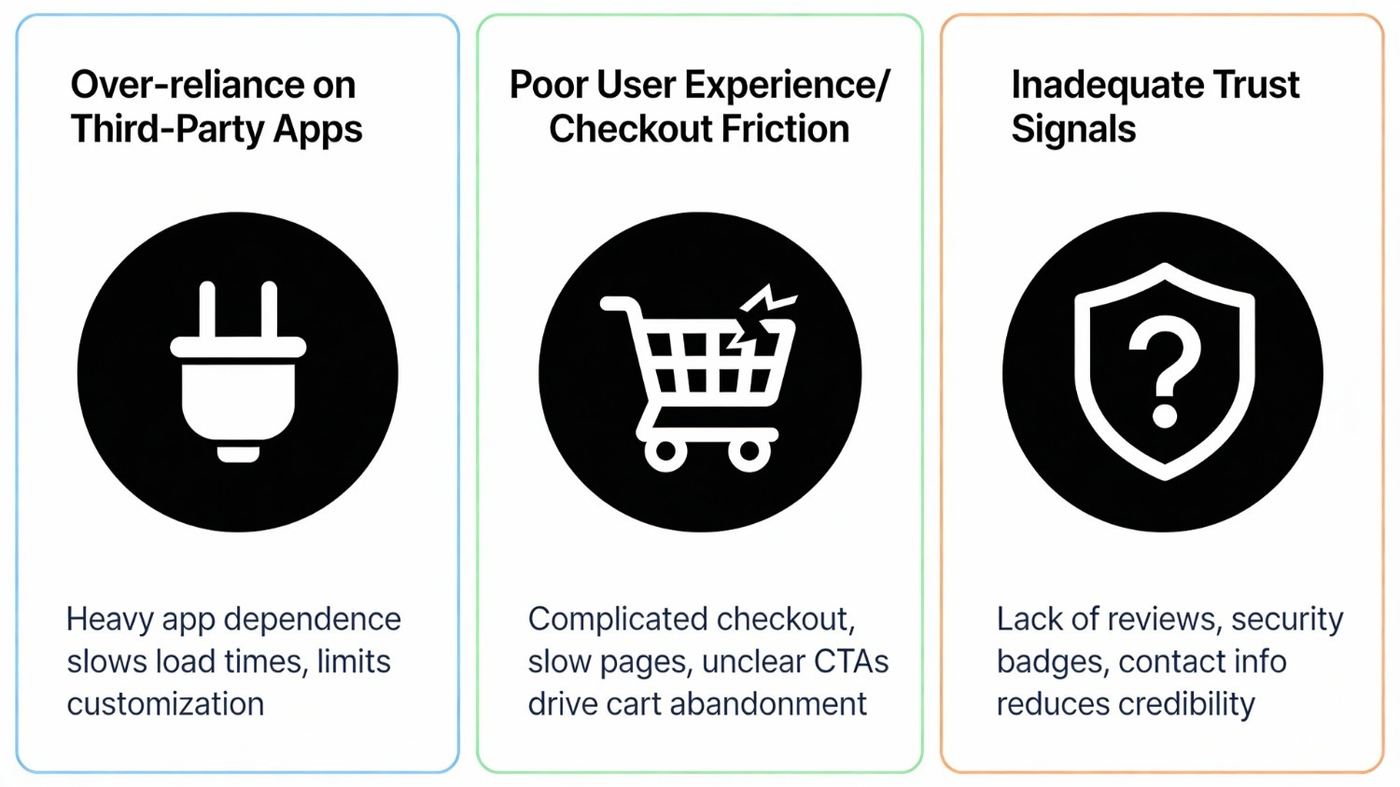
Over-reliance on Third-Party Apps
Loading your store with a dozen unoptimized customizer apps? You're asking your site to carry weight in ankle-deep mud.
Native Shopify OS 2.0 sections + metafields = faster load, fewer script wars, and no “why is my PDP breaking?!” moments.
“Creepy” Personalization
Showing customers exactly what they bought last December — down to flavor, size, and quantity — might sound like “personal touch,” but it can creep people out.
Instead? Utility-first personalization: reorder reminders, size-matching suggestions. Less stalker vibes, more helpful friend.
Demographic-Only Targeting
If your recommendations ignore the fact that the shopper is currently browsing from a mobile device at lunchtime (versus late-night desktop session)… guess what? You’re serving stale cookies at a fresh party. Behavior context > static demographics.
What should you know about ux best practices you can’t afford to skip?
Conditional Logic
Show “Engraving Text” only if “Add Engraving” is ticked. Clean UI, no head-scratching.
Real-Time Previews
Customily, Zepto — these heroes cut hesitation by showing shoppers exactly what they’re buyingwhilethey tweak it. No imagining, just instant visual payoff.
Thumb-Friendly Mobile UI
Over 63% of sales come from mobile. Make those swatches tappable without pinching/zooming. Fingers aren’t precision tools — build for comfort. (Source: Multiple (Statista, CapitalOne Shopping), 2025)
Progressive Disclosure
Don’t shove everything upfront. Hook with the value, then open accordions for specs and steps. Curiosity > overload.
What should you know about cutting cart abandonment from customization?
- Upfront Cost Transparency: Real-time price updates (+$5, +$10 add‑ons should be shown immediately). No “surprise fees” at checkout.
- One-Page Checkout Flow: Short process + Shop Pay / Apple Pay = less drop-off.
- Pre-filled Fields for Return Customers: Cut the typing, boost the warm fuzzy “they know me” feeling.
What should you know about lessons from failures & smart fixes?
The “Frankenstein” Layout Shift
Customization app loads late → Add to Cart appears, then vanishes. Cue trust drop.
Fix: Ensure all customization scripts load before key UI elements show.
“Hidden Logic” Frustration
Allow conflicting options, then scold shopper with error pop‑up? Nope. Instead, hide incompatible choices in real‑time.
Mobile Tunnel Vision
Preview blocked by single-screen option panel? Use split-screen so shoppers see the change as they make it. Magic. This is exactly how real-time preview boosts confidence and reduces cart abandonment.
Price Shock
48% of shoppers abandon carts when they encounter unexpected extra costs at checkout. For customizable products where price changes with each option, real-time PDP price updates are your antidote. (Source: Baymard Institute, 2025)
What should you know about case studies: when too much choice kills?
| Brand | Failure | Fix | Result |
|---|---|---|---|
| Nutterie | Endless mix-and-match → decision paralysis | Curated base + 3 tweaks | +122% conversions |
| Blank Canvas POD | Users upload low-res → refunds | AI templates + editable text | Refund rates slashed |
What should you know about the 2026 playbook for ux glory?
“Save for Later” Designs
If they try to leave — offer a one-click “Save My Design” emailed link. Recovers up to 20% of abandoned carts.
AI Hyper-Personalization
Old way: 20 questions.
New way: 3 smart prompts → AI bundles the dream combo. Less effort, more conversions.
Cart Visual Confirmation
Show theactualcustomized product in the thumbnail. Shoppers breathe easier knowing they nailed it.
What should you know about troubleshooting the technical nightmares?
Shopify’s 100 Variant Limit
T-shirt with sizes × colors × styles = 125 variants. Exceeds limit.
Workarounds:
- App Method (Infinite Options) → attaches data, no real variant created.
- Split Method → separate products per color linked via swatch app (bonus: SEO win).
- Metafields / JSON API → bypasses variant logic completely.
“Loading Shop Data…” Loop
Ghost products (like cpb_hybrid) deleted/archived break checkout. Make sure they’re Active in Online Store channel.
Blurry POD Files
High-res preview, low-res output? Require min 2000px width uploads, allow SVG for text. Smooth, crisp prints.
What should you know about summary checklist 2026?
- Speed: Delete ghost code from uninstalled apps.
- Mobile UX: Always preview changes live on phone screens.
- Psychology: Limitinitialchoices to 3‑5 steps.
- Trust: Match cart images to custom designs.
- Tech: Activate all ghost products to prevent checkout errors.
What should you know about latest words:?
Shopify in 2026 isn't forgiving — shoppers expect instant + personal + easy. Speed kills friction, conditional logic kills confusion, and AI kills overload. Your mission? Build customization flows that feel like magic, not math homework.
What should you know about podifai: where personalization meets innovation?
AtPodifai, we believe every Shopify merchant should have the power to create engaging, high-converting shopping experiences without technical roadblocks. Our mission is to simplify personalization with sleek, no-code product customizers that elevate your brand and delight your customers. Start your process today and turn festive moments into sales opportunities—because with Podifai, your store’s creativity has no limits.
📚 Related Articles
- Why A/B Testing Custom Options Is Key to Conversions
- Why Real-Time Product Preview Boosts Customer Confidence
- 15 Best Product Configurator Examples with Live Preview 2026
- Social Proof Personalization for Shopify Custom Products
Frequently Asked Questions
How long does implementation typically take?
Implementation usually requires 2-6 weeks depending on complexity and customization needs. Proper planning, resource allocation, and phased deployment help ensure smooth rollout and user adoption.
What return on investment can I expect?
Most businesses see positive ROI within 3-6 months through improved conversion rates, increased average order values, and enhanced customer satisfaction. Results vary based on implementation quality and market conditions.
Do I need technical expertise to implement this?
While technical knowledge helps, most modern solutions offer user-friendly interfaces and comprehensive support. Training resources, documentation, and customer success teams ensure successful adoption.
How does this integrate with existing systems?
Integration capabilities include APIs, webhooks, and pre-built connectors for popular platforms. Proper integration planning ensures seamless data flow and maintains operational continuity.
What ongoing maintenance and support is required?
Regular updates, performance monitoring, and optimization ensure continued success. Most solutions provide automated maintenance, analytics dashboards, and dedicated support teams for ongoing assistance.
Frequently Asked Questions
What are the most common customization mistakes to avoid?
The biggest mistakes include offering too many options at once, poor mobile optimization, using low-resolution product images, creating confusing user flows, and lacking proper customer support channels. These issues lead to decision fatigue, cart abandonment, and poor user experience across all devices.
How many customization options should I offer?
Research suggests limiting initial options to 3-5 choices per category to prevent decision fatigue. Use progressive disclosure to reveal additional options only when needed, and group related customizations logically to maintain clarity while still offering comprehensive personalization capabilities.
Why is mobile optimization crucial for customization?
Over 70% of ecommerce traffic comes from mobile devices, making mobile optimization essential for customization success. Poor mobile experiences result in high bounce rates, abandoned customizations, and lost sales. Ensure touch-friendly interfaces, readable text, and fast loading times across all screen sizes. (Source: Artzen, 2025)
What image quality standards should I maintain?
Use high-resolution images (at least 1200x1200 pixels), maintain consistent lighting and backgrounds, and provide multiple angles for complex customizations. Quality images build trust, reduce return rates, and help customers make confident purchasing decisions about their personalized products.
How can I recover from customization mistakes?
Start by analyzing user behavior data to identify problem areas, gather customer feedback through surveys and support interactions, then implement changes gradually. A/B testing helps validate improvements, while clear communication about updates builds customer trust and shows commitment to excellent experiences.