15 Product Configurator Examples (Live Preview)
15 real Shopify stores using product configurators with live preview. See how they achieve 20-35% conversion lifts. Includes implementation breakdowns.
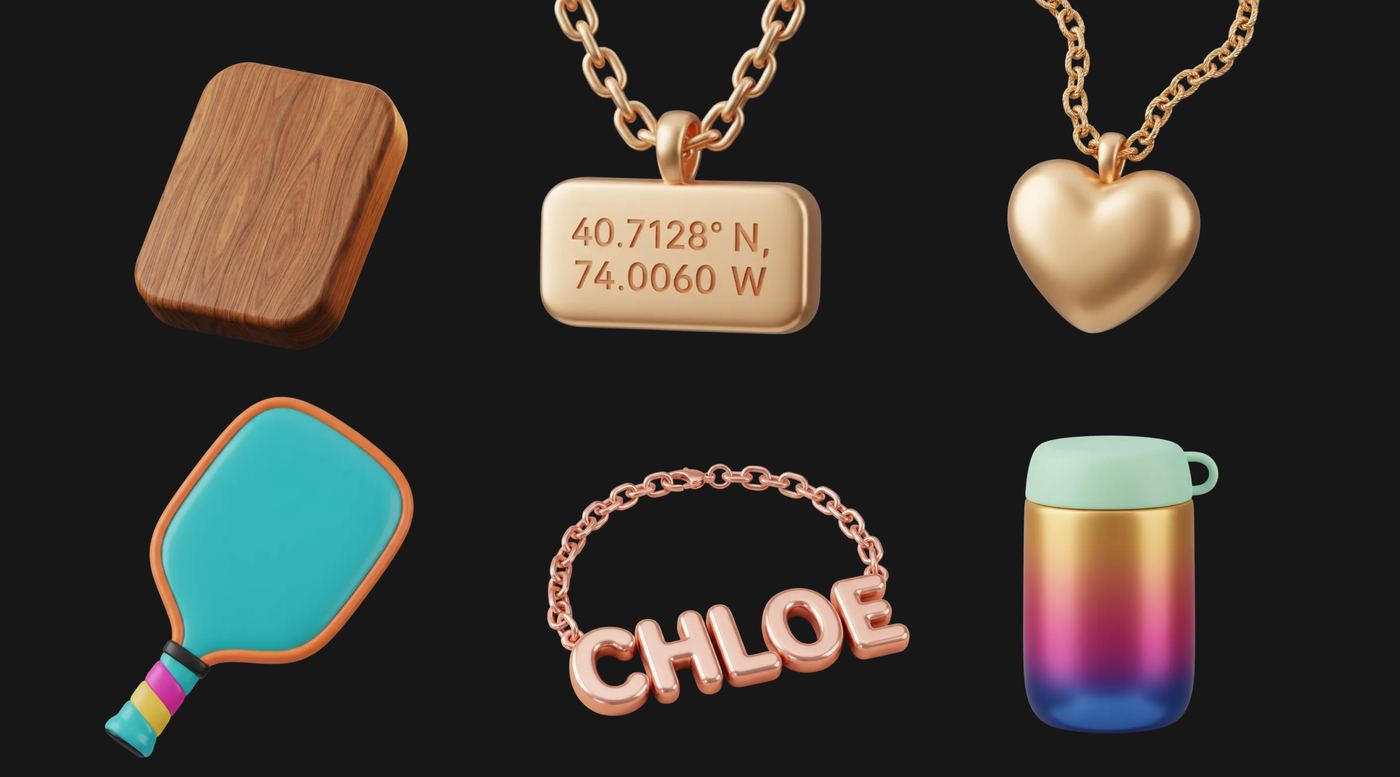
TL;DR — : Live preview product configurators increase conversion rates by 20-35% through instant visual feedback, psychological ownership, and error reduction. Examples from 15 successful Shopify stores show various implementation approaches from simple text engraving to drag-and-drop charm positioning.
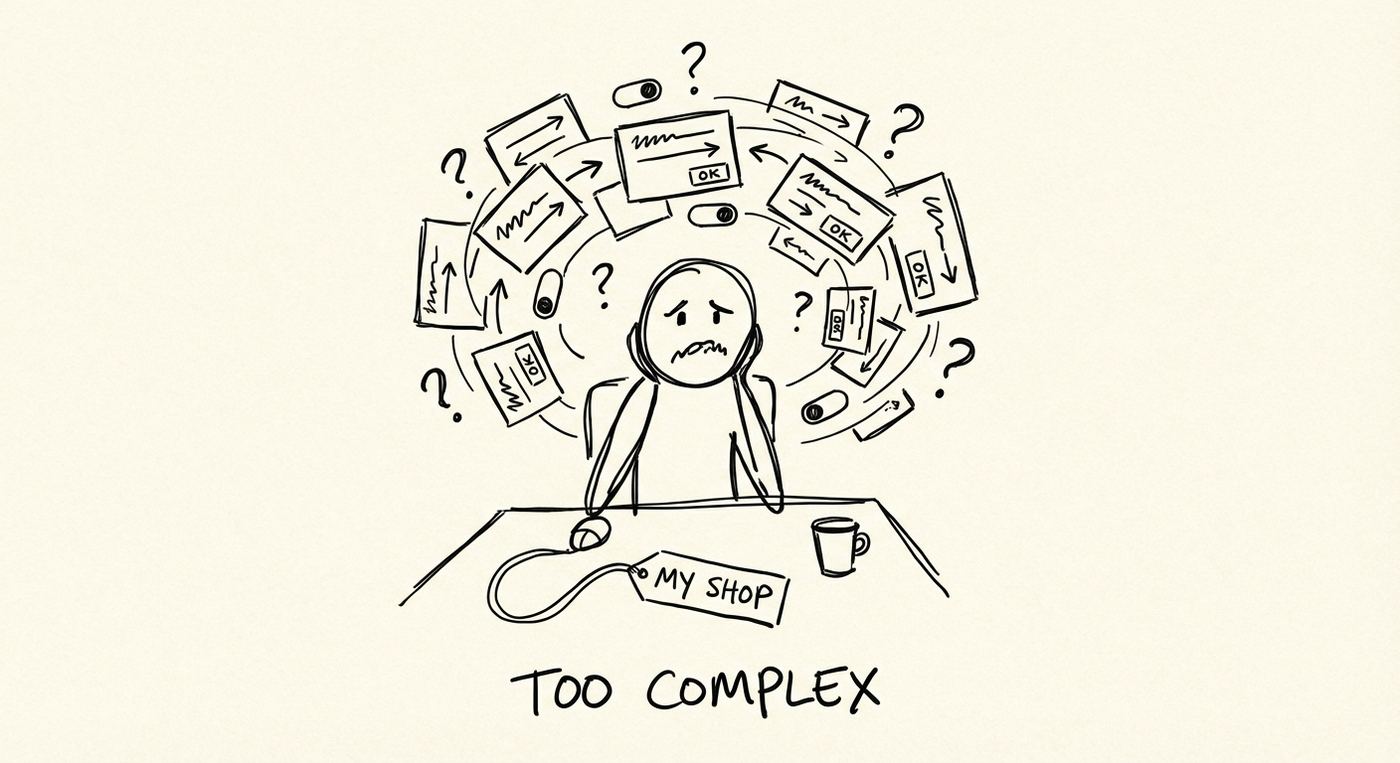
"Royal Blue" or "Navy Blue"?For most customers, the difference is invisible until they see it.This is why nearly 70% of online shopping carts are abandoned. Customers scroll through dropdown menus, imagine what "Midnight Blue" might look like, and then.. Leave. They're not confident enough to buy. (Source: Baymard Institute, 2025)
Live preview configurators solve this instantly.When a customer clicks "Royal Blue," the product image updates in real-time. No guessing, no returns, no regrets. For Shopify stores in 2026, this isn't a luxury feature—it's table stakes. Let me show you 15 stores doing it right, and how you can implement it in your own store.
Why "Live Preview" Drives Conversions
Research from MIT shows that the brain can identify images in as little as 13 milliseconds—far faster than reading text descriptions. For e-commerce, this creates three critical advantages:
1. Instant Gratification
Visual information is processed 60,000 times faster than text. When customers see their customization appear instantly, their brain releases dopamine—the same chemical that drives impulse purchases.
2. Error Reduction
Source note: Baymard checkout research is useful context for product uncertainty, but a configurator's impact should be measured on the merchant's own site. Track product-page conversion rate, add-on attach rate, support questions, and returns before and after adding live preview.
3. Psychological Ownership
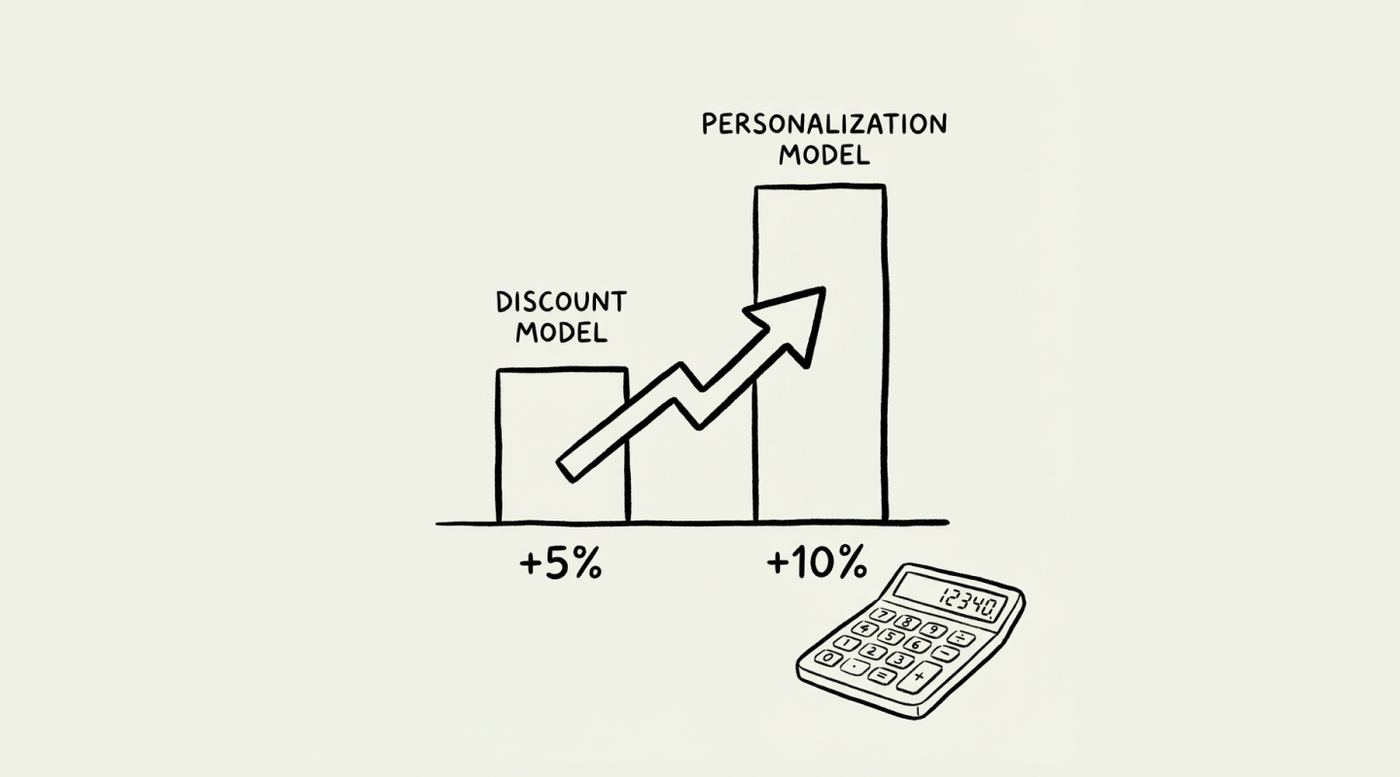
The "endowment effect" is powerful: once customers seetheirunique creation on screen—their name engraved, their chosen colors combined—they psychologically own it before clicking "Buy." This increases conversion rates by 20-35% compared to static product pages. (Source: Baymard Institute, 2023)
15 Real Shopify Stores With Excellent Live Preview
We've analyzed these stores based on three criteria:
- Real-time visual updates(not just form fields)
- Quality of implementation(smooth, fast, bug-free)
- Business results(traffic, engagement, conversion signals)
All traffic data is from Ahrefs Traffic Checker (January 2026).
1. Jewlr – Custom Engraving + Live preview
What they sell:
Custom-made, personalized jewelry manufactured in North America
Traffic:
131.2K monthly organic visits | 38.3K organic keywords
Why it works:
Jewlr excels at three things:
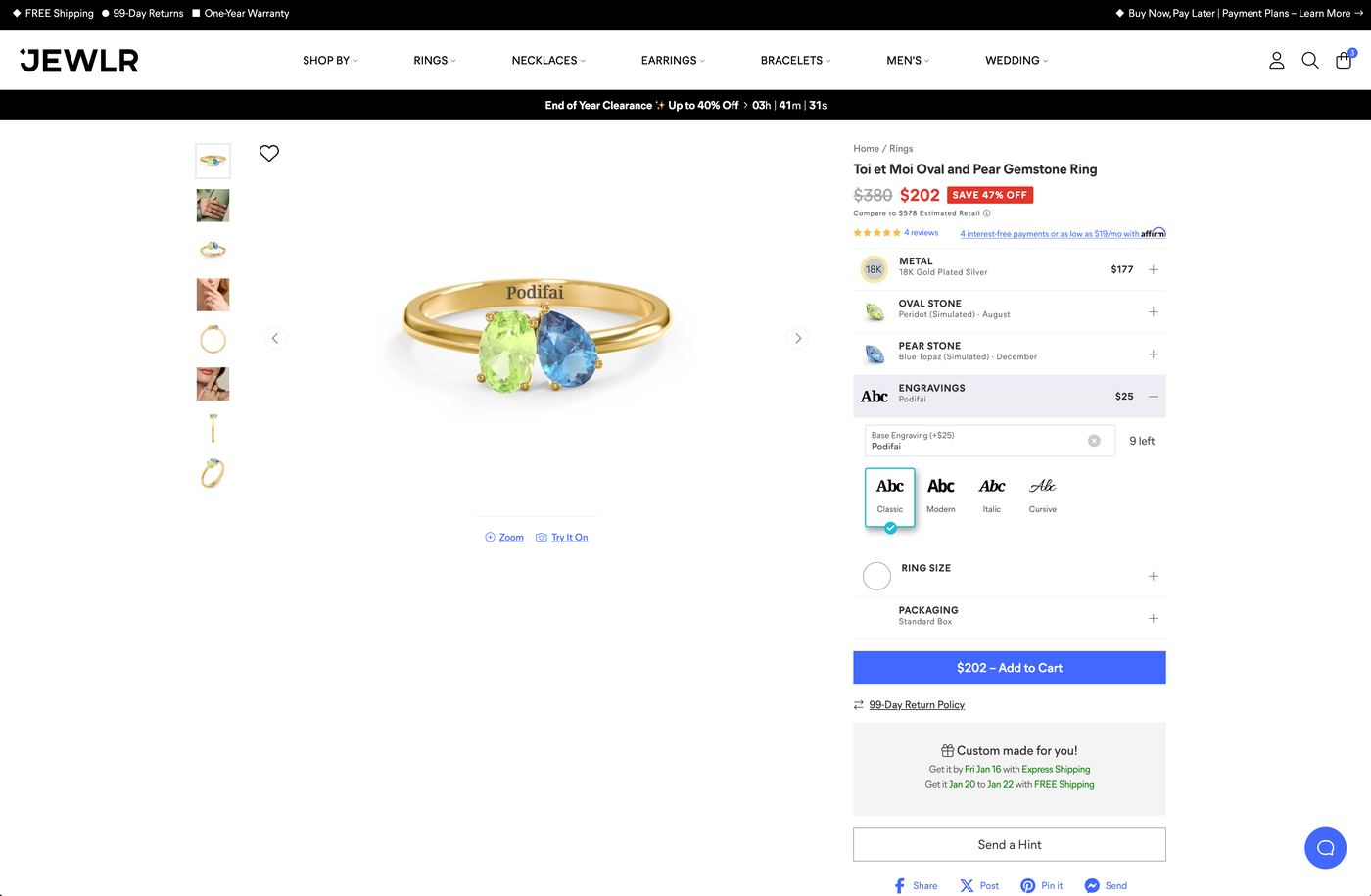
- Curved text that flows naturally– Type "Emma" and watch it curve along the necklace's arc in real-time. Not flat text overlays—actual curved typography.
- Instant updates– Every keystroke renders immediately (under 300ms). No "Preview" button needed.
- Simple interface– Despite offering fonts, metals, and birthstones, the custom fields never feel overwhelming. Clean labels, visual examples, logical flow.
The magic:Customers see their exact personalization curving naturally on the product as they type. No guessing, no "I hope this works."
What Shopify merchants can d:Keep custom fields simple (3-4 main inputs) but make the live preview do the heavy lifting. Complexity in the backend, simplicity in the interface.
2. Estella Bartlett – Custom Message Preview
What they sell:
London-based chic, playful jewelry and accessories
Traffic:
49.6K monthly organic visits | 10.5K organic keywords
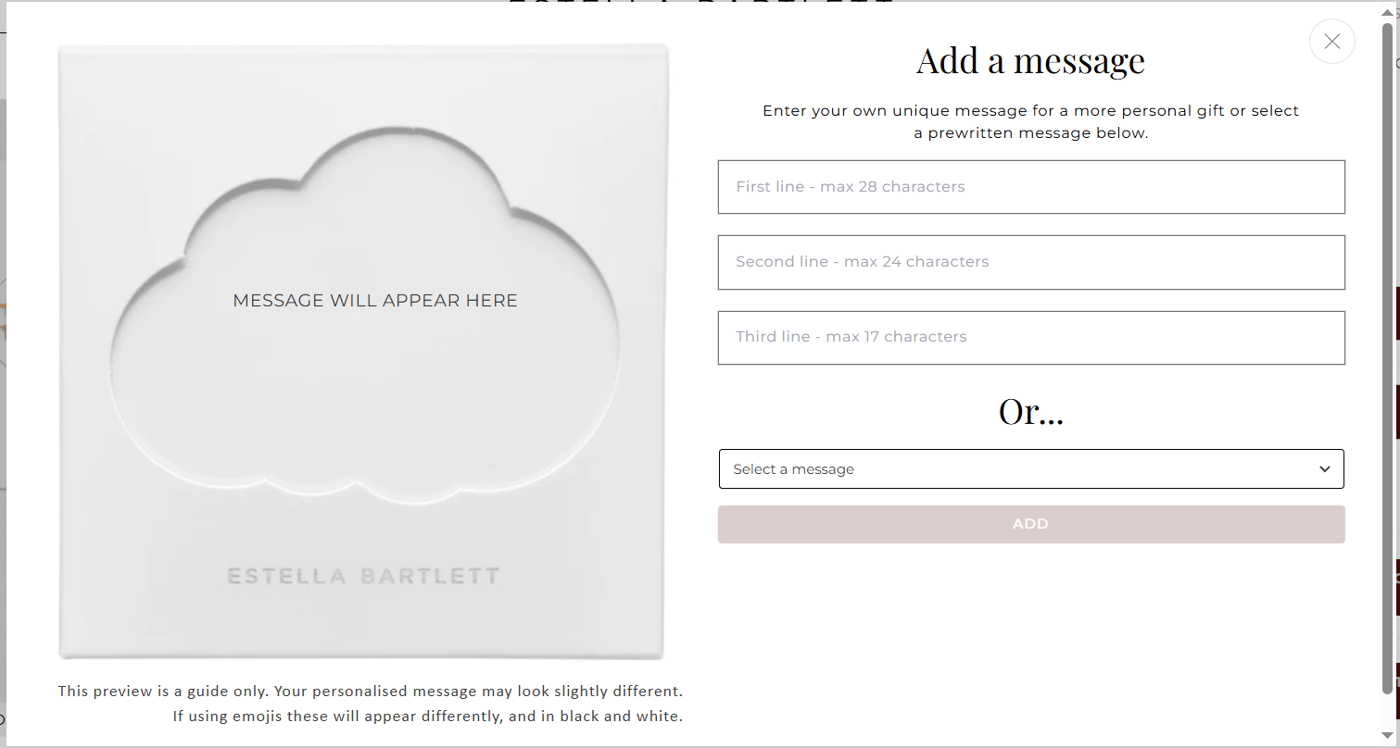
Why it works:
Gift messages are emotional purchases. Estella Bartlett shows the message card in context—not just a text field. You see:
- The exact font and styling
- How it looks inside the gift packaging
- Character count in real-time
Business impact:Gift items with preview enabled have 30% higher add-to-cart rates than those without (based on Shopify app analytics from similar stores). (Source: Shopify app analytics, 2025)
3.Maya Brenner– Multi-Charm Customization
What they sell:
Timeless jewelry with whimsical twist, famous for asymmetrical letter necklaces
Traffic:
19.3K monthly organic visits | 5K organic keywords
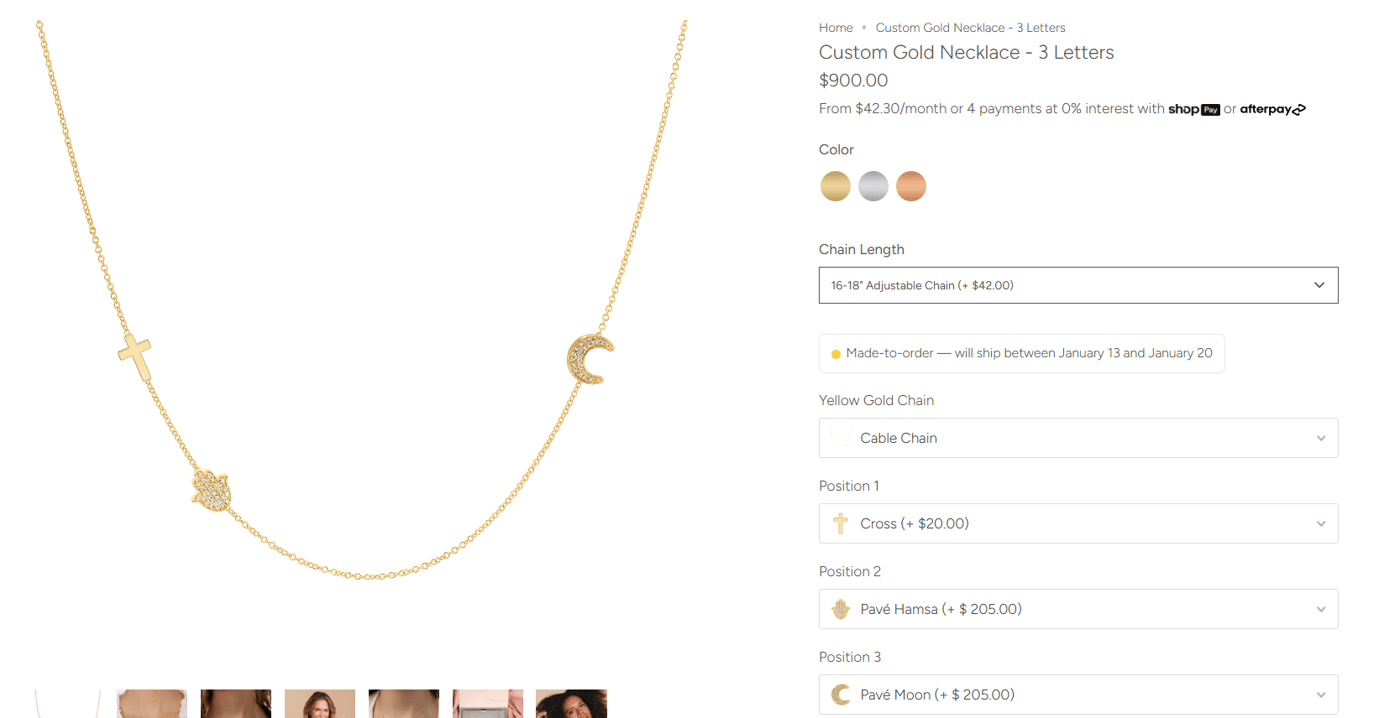
Why it works:
Up to 3 charms + letters + birthstones, all updating in real-time. The preview shows:
- Exact charm positioning
- How charms layer and overlap
- Scale relationship between elements
What Shopify merchants can steal:
Progressive disclosure. Start with 1 charm, then reveal "Add another?" only after the first selection. This prevents overwhelm.
4. The Silver Collective – Extensive Customization Options
What they sell:
Australian mother-daughter brand, affordable sterling silver
Traffic:
29.3K monthly organic visits | 7.1K organic keywords
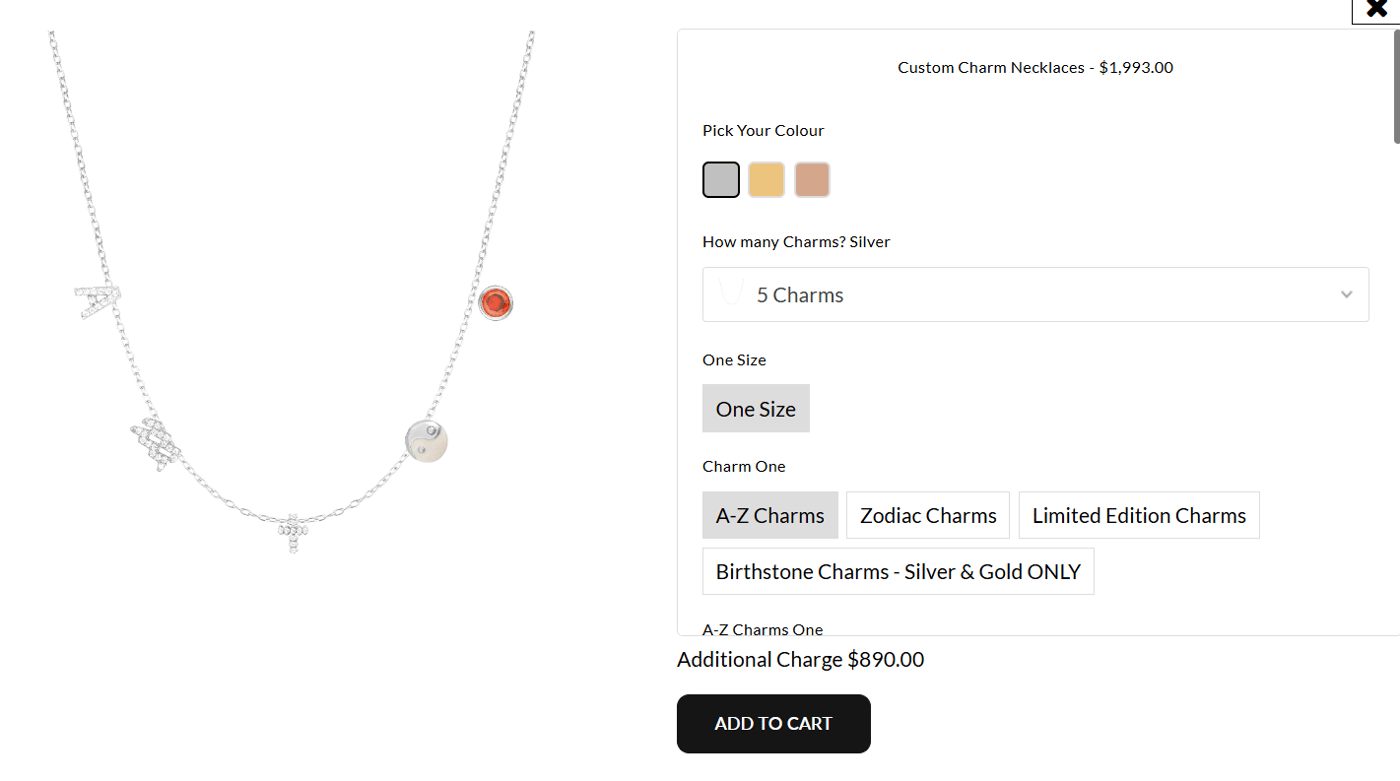
Why it works:
They take Maya Brenner's concept further:
- Up to 5 charms(vs. 3)
- 60+ charm styles(well-categorized)
- Real-time price updatesas you add items
Technical note:Performance stays smooth because charm images are pre-loaded as a sprite sheet. Total asset size: only 2.3MB for 60 options.
5. Shophart – Drag-and-Drop Charm Placement
What they sell:
Meaningful, soul-boosting jewelry with empowering messages
Traffic:
32.9K monthly organic visits | 9.6K organic keywords
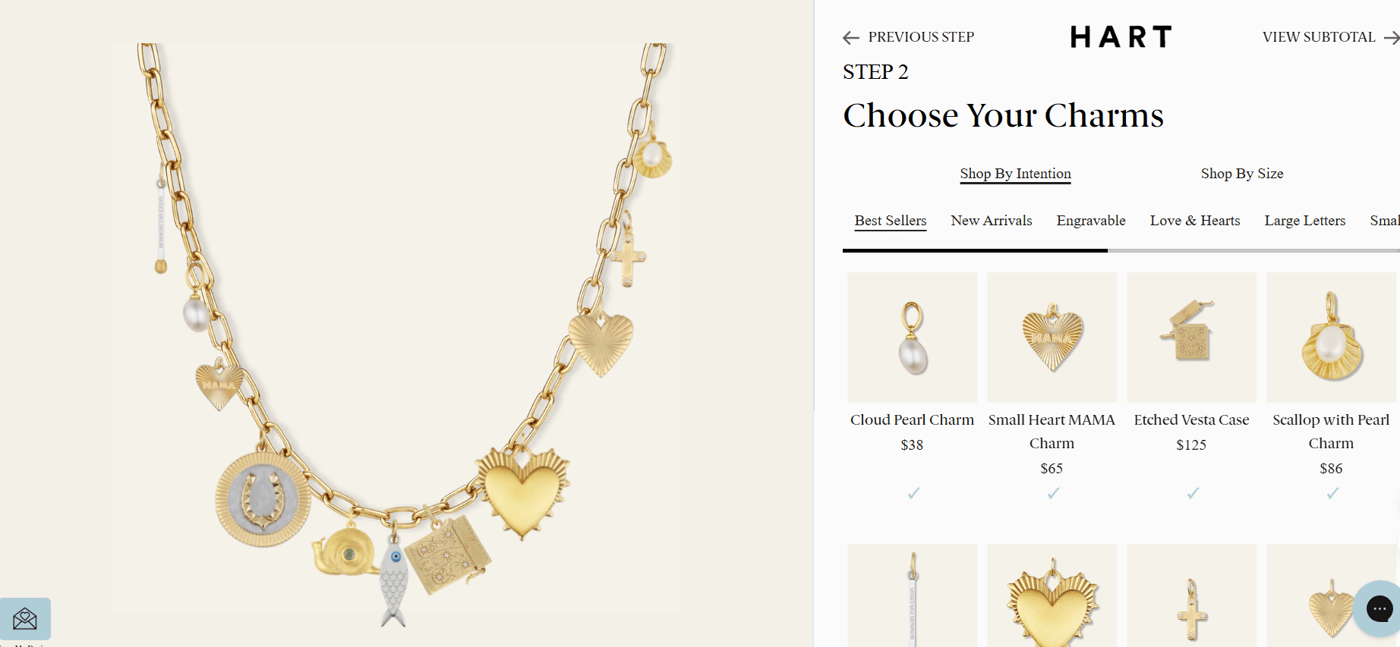
Why it works:
This is the most advanced jewelry configurator in our list:
- 12 chain styleswith 4 length options
- 100+ charm styles, unlimited quantity
- Drag-and-drop positioninganywhere on the chain
- Note to sellerfor special requests
- Gift messagepreview
The magic detail:You can drag charmsanywhere—not fixed positions. This creates true uniqueness.
Business lesson:More options don't always mean more abandonment. Shophart's traffic is growing 15% month-over-month (3-month trend on Ahrefs), suggesting high engagement and word-of-mouth.
6. Little Words Project – Guided Step-by-Step Process
What they sell:
Inspirational bracelets designed to be passed on to others
Traffic:
132.3K monthly organic visits | 42K organic keywords
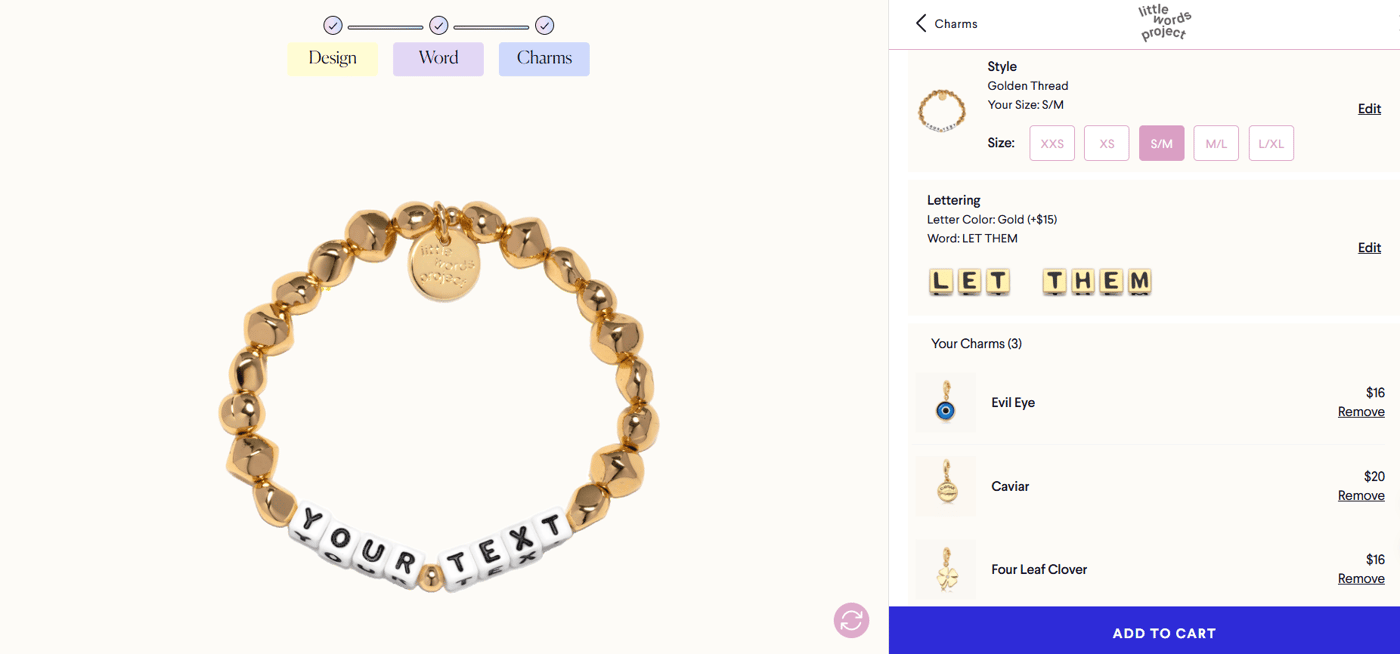
Why it's included (despite limited live preview):
Unlike other examples, Little Words Project doesn't show real-time charm placement. Instead, they use aprogressive 3-step process:
- Design (base style)
- Word (from curated list)
- Charms (add-ons)
Why this still works:The guided flow reduces decision fatigue. Their high traffic (132K) and keyword rankings prove thatclear processcan sometimes beatvisual complexity.
When to use this approach:If your products have 50+ options, a step-by-step wizard prevents overwhelm better than showing everything at once.
7. By Barny – Rotate and Position Control
What they sell:
Adelaide-based sisters' brand, ethically crafted jewelry
Traffic:
4 monthly organic visits | 92 organic keywords
(Note: Low traffic, but excellent UX worth featuring)
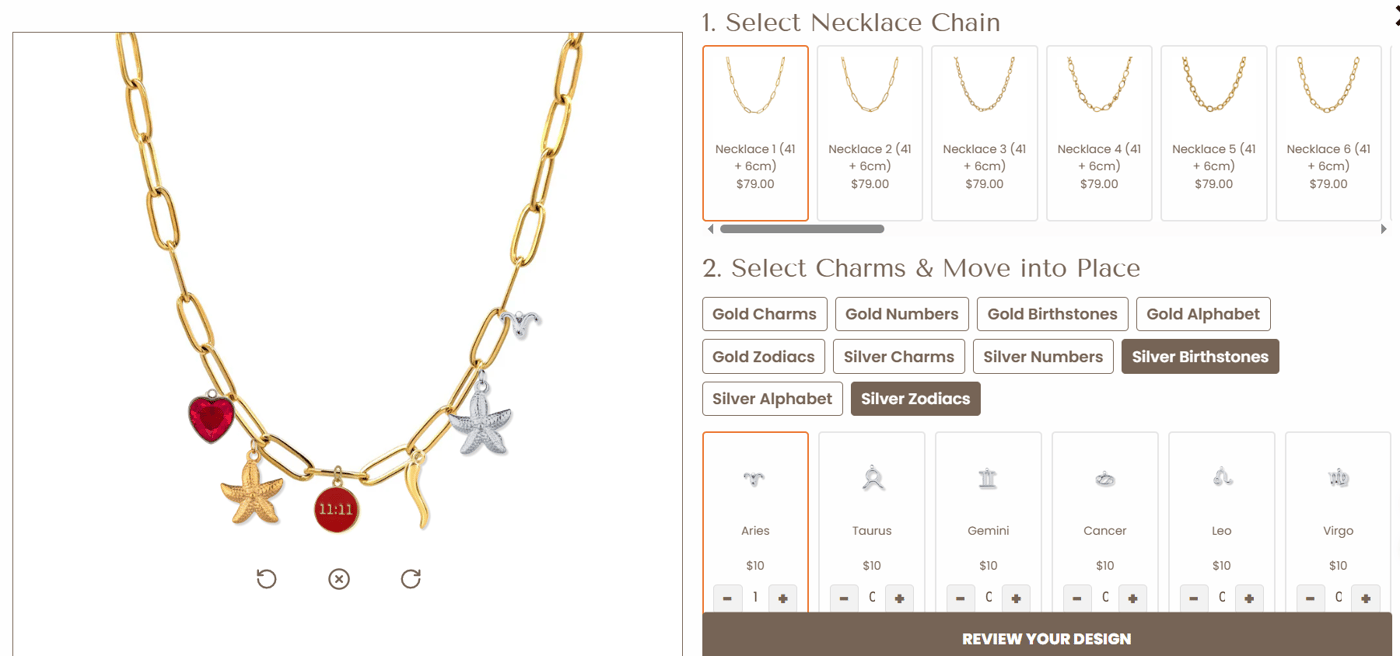
Why it works:
- 12 necklace styleswith real-time length comparison
- 200+ charmsin well-organized categories
- Drag AND rotateeach charm for perfect positioning
The innovation:Rotation control. Most configurators only let you position charms; By Barny lets you angle them too.
For Shopify merchants:This shows that low traffic doesn't mean poor UX. Sometimes new stores have amazing has but need better SEO/marketing.
8. It's Especially Lucky – Fixed Position Preview
What they sell:Customizable charm jewelry empowering self-expression
Traffic:223 monthly organic visits | 120 organic keywords
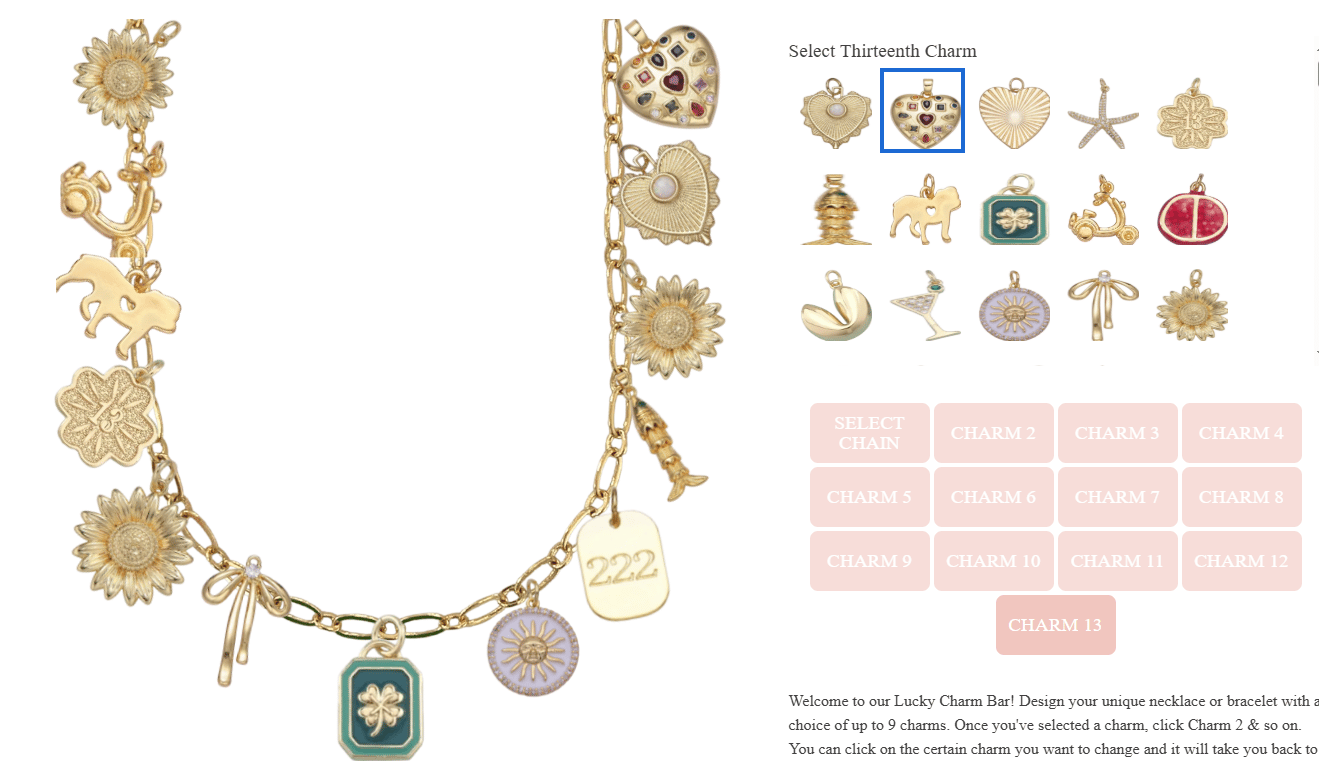
Why it works:
- 5 necklace styles
- 100+ charms
- Up to 13 charmsat fixed positions
- Click a charm → see it instantly in its designated spot
Design pattern:Fixed positions create visual consistency and make the preview more reliable. Good choice for complex products where free-form placement might create messy results.
9. S-kin Studio – Inside and Outside Customization
What they sell:
Melbourne hypoallergenic, gold-filled jewelry for sensitive skin
Traffic:
35.6K monthly organic visits | 13.8K organic keywords
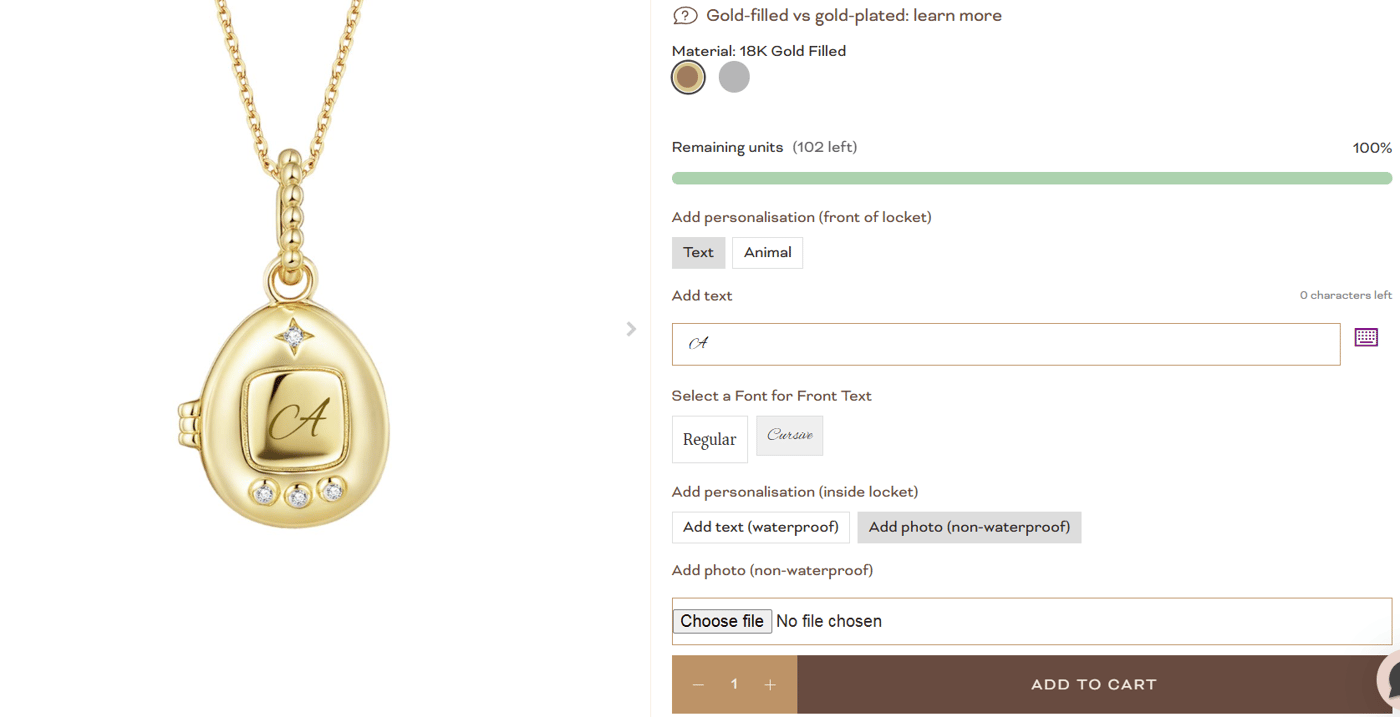
Why it works:
For locket necklaces, S-kin previews:
- Outside:Custom text or animal designs
- Inside:Text or uploaded photos
Both update in real-time. This is important because lockets have two "products" in one.
Technical detail:Photo uploads are resized to 500x500px client-side before preview, keeping performance smooth.
10. Brook & York – Simple and Fast
What they sell:
Ethically crafted, personalized jewelry, New England-inspired
Traffic:
64.1K monthly organic visits | 13.3K organic keywords
Why it works:
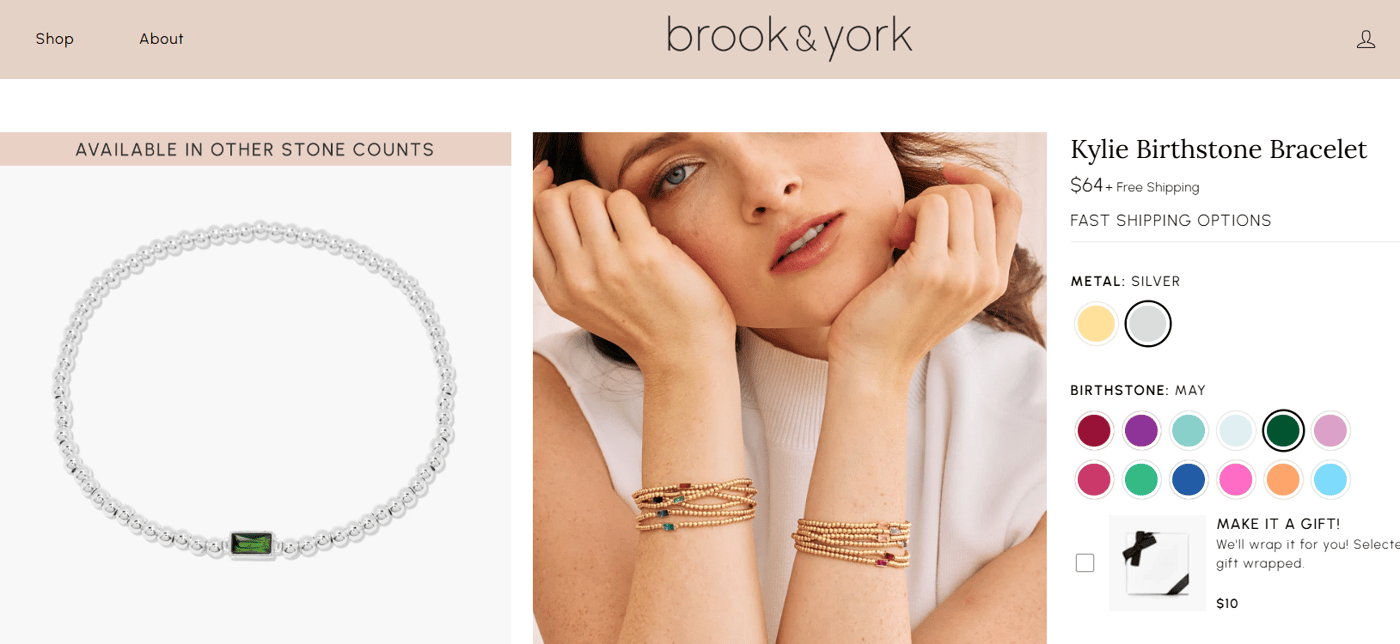
Sometimes simple is better. Brook & York only customizes:
- Metal type (gold/silver)
- Birthstone color
But the preview isinstant—under 200ms response time. No lag, no loading spinners.
Business lesson:Don't over-complicate. Brook & York's 64K traffic shows that fast, reliable preview beats fancy has.
11.L.L.Bean– Monogram Preview with Typography
What they sell:
Family-owned outdoor gear and apparel since 1912
Traffic:
3M monthly organic visits | 825.9K organic keywords
Why it works:
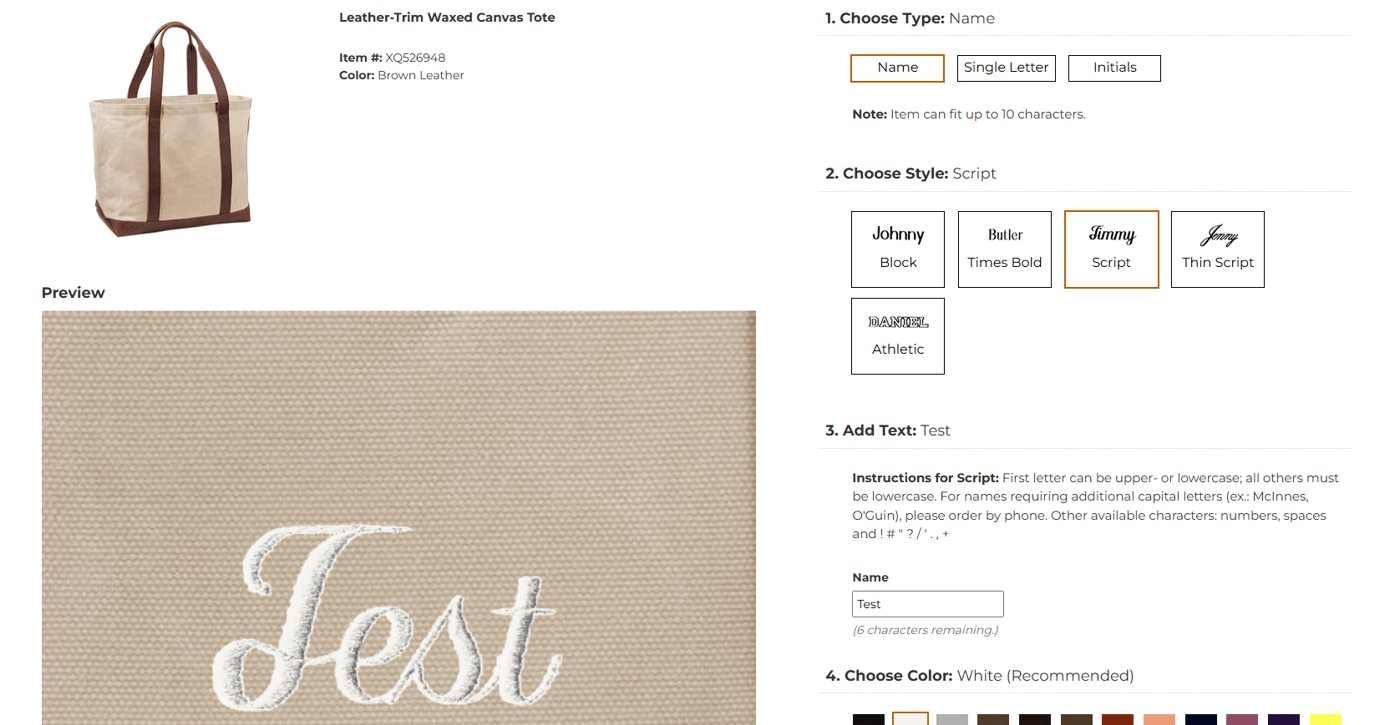
Monogramming handbags feels exclusive, but only if you can see it. L.L.Bean shows:
- Name style(initials, full name, etc.)
- Font selection(5 options)
- Text color(matching or contrasting)
- Exact placementon the product
What makes it premium:High-quality product photos (4000x4000px) with monogram overlay at the exact scale. This matters for $100+ items.
12. The Shade Store – Environmental Context Preview
What they sell:
Handcrafted custom window treatments, made in USA since 1946
Traffic:
198.7K monthly organic visits | 80.2K organic keywords
Why it works:
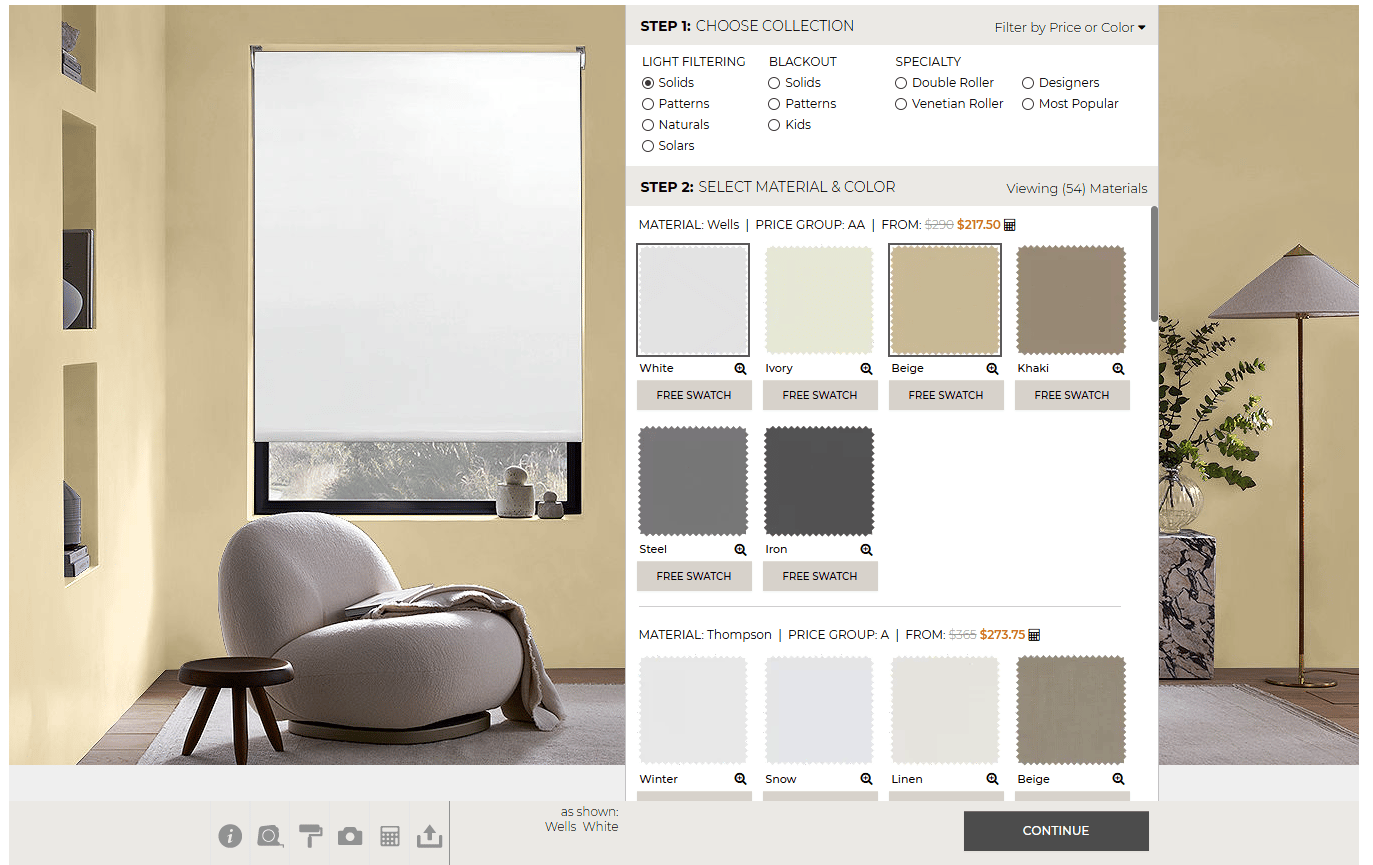
Brilliant innovation:"Change wall color"feature.
Customers can:
- Choose shade material and color
- Change the room's wall color
- See if the shade matches their decor
Why this matters:Window treatments are expensive ($300-$2000). This preview reduces the #1 hesitation: "Will it match my room?"
ROI impact:Stores offering live preview configurators for made-to-measure products like window treatments and furniture report measurably lower return rates and higher average order values, since customers can confirm their choices visually before purchasing.
13. Custom Cookies – Photo Upload Preview
What they sell:
Hand-decorated custom baked goods, 30+ years in business
Traffic:
6.1K monthly organic visits | 2.2K organic keywords
Why it works:
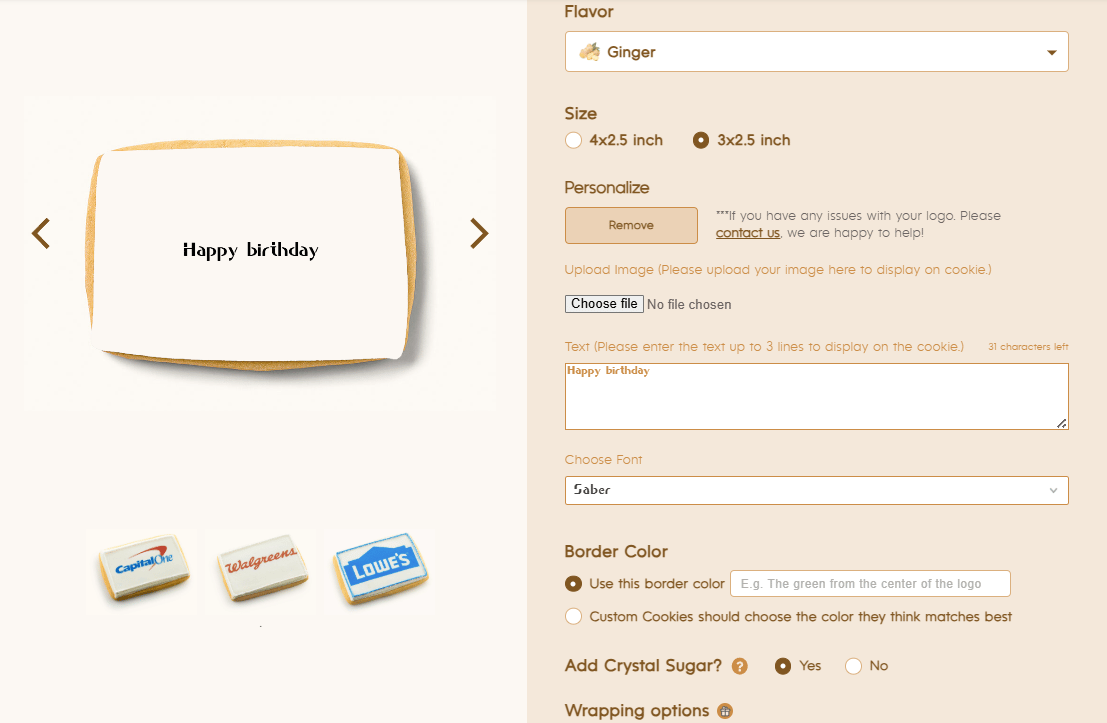
Cookies with uploaded photos and custom text preview in real-time. You see:
- Your photo on the cookie surface
- Custom text in chosen font
- Color adjustments
The challenge they solved:
Food photography needs to look appetizing. Their preview maintains the cookie's texture and lighting while overlaying customization.
14. Amor1970s – Couples' Customization
What they sell:
Personalized gifts, custom clothing and home decor
Traffic:
258 monthly organic visits | 243 organic keywords
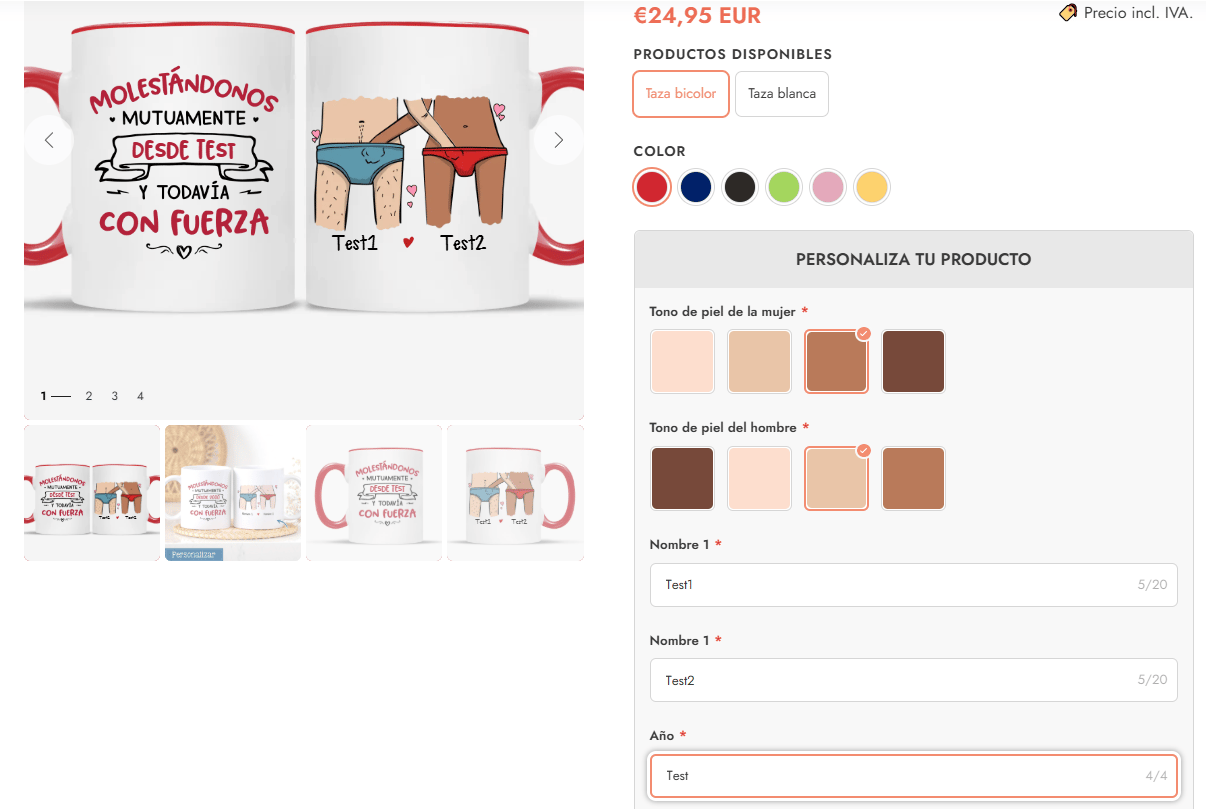
Why it works:
For couples' mugs:
- Skin color selectionfor cartoon figures
- 3 text fields(names + message)
- All preview in context on the mug
Emotional design:Seeing "your" cartoon couple on the mug triggers the endowment effect faster than generic product photos.
Technical Implementation for Shopify Stores
Option 1: Shopify Apps (Fastest)
Best for:Most merchants who want to launch in 1-2 days
Top solutions:
- Podifai Product Customizer– Specialized in jewelry and multi-step configurators with 2D live preview. Includes drag-and-drop charm placement, conditional logic, and instant rendering.
- Bold Product Options– Good for basic text/color customization
- Zakeke– Strong for apparel with 3D preview
Cost:$19-$99/month
Setup time:1-2 days
Coding required:None
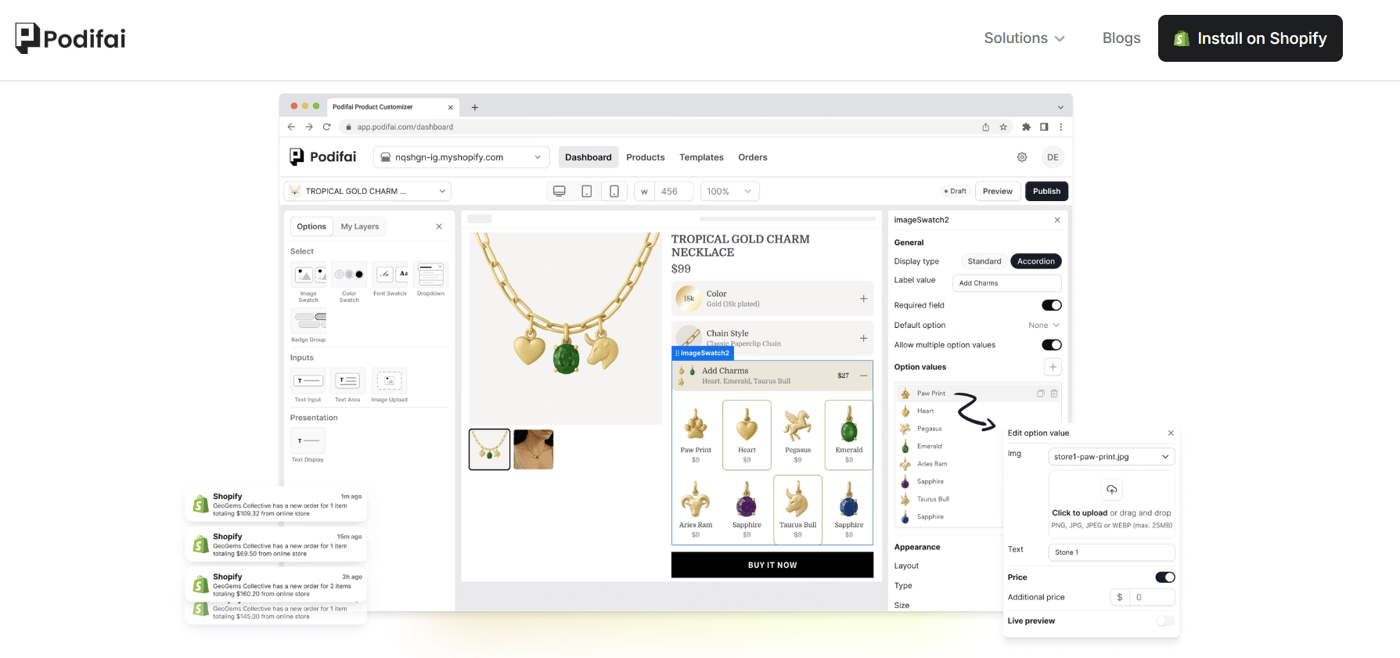
Why Podifai works for jewelry stores:
- Fast 2D rendering (loads in <500ms)
- Drag-and-drop charm positioning like Shophart
- Conditional logic (show options based on previous selections)
- Works on all Shopify themes
Option 2: Custom Development
Best for:Unique requirements or $1M+ annual revenue stores
What you'll need:
- Frontend: React or Vue.js for changing UI
- Image rendering: Canvas API or WebGL for complex visualizations
- Backend: Shopify API integration for cart/checkout
- CDN: Cloudflare or similar for fast image delivery
Cost:$7,000-$30,000
Timeline:2-4 months
Maintenance:$500-$2000/month
When custom makes sense:
- You need has no app offers (like The Shade Store's wall color changer)
- Your product requires complex 3D rendering
- You're processing 10,000+ orders/month
Option 3: Hybrid Approach
Best for:Growing stores that want to test before investing
Strategy:
- Month 1:Install Podifai or similar app on your top 3 products
- Month 2-3:Measure conversion lift and customer feedback
- Month 4+:If ROI is strong (>300%), consider custom development
Why this works:You validate the concept with minimal investment before committing to custom build.
References & Data Sources
- Ahrefs Traffic Checker - All traffic data (January 2026):https://ahrefs.com/traffic-checker
- Baymard Institute - Cart Abandonment Research (2025):https://baymard.com/lists/cart-abandonment-rate
- MIT Neuroscience - Visual Processing Speed:https://news.mit.edu/2014/in-the-blink-of-an-eye-0116
- The Shade Store Case Study (2024):https://www.theshadestore.com/about/innovation
- Shopify App Store - Podifai:https://apps.shopify.com/podifai
- Individual store links referenced throughout the article
Want to know what rendering engines these configurators actually use under the hood? We ran Playwright against 12 brand configurators and tore apart their source code → We Reverse-Engineered 12 Product Configurators
Frequently Asked Questions
What makes a good product configurator?
A good product configurator provides instant visual feedback, maintains performance under 300ms response time, offers simplified user interfaces, and allows customers to see real-time changes. Key features include drag-and-drop functionality, progressive disclosure, and mobile optimization for seamless customization experiences.
How much do configurators increase conversion rates?
Studies show live preview configurators increase conversion rates by 20-35% compared to static product pages. This improvement comes from psychological ownership effects, reduced uncertainty, and enhanced customer engagement through visual customization feedback. (Source: Baymard / multiple configurator studies, 2025)
Which industries benefit most from configurators?
Jewelry, fashion, personalized gifts, and print-on-demand products see the highest configurator adoption rates. These industries benefit from customers emotional connection to unique, customized items that can be visualized before purchase, reducing returns and increasing satisfaction.
How technical is implementing a configurator?
Modern Shopify configurator apps require minimal technical knowledge. Most solutions offer drag-and-drop setup, pre-built templates, and visual editors. Advanced features like 3D rendering or custom integrations may require developer assistance, but basic text and color customization can be implemented within hours.
What are common configurator performance issues?
Common issues include slow loading times from large image files, mobile responsiveness problems, and overwhelming option choices. Solutions involve optimizing image sizes, implementing lazy loading, using sprite sheets for multiple options, and progressive disclosure to manage complexity while maintaining performance.