 Free install on Shopify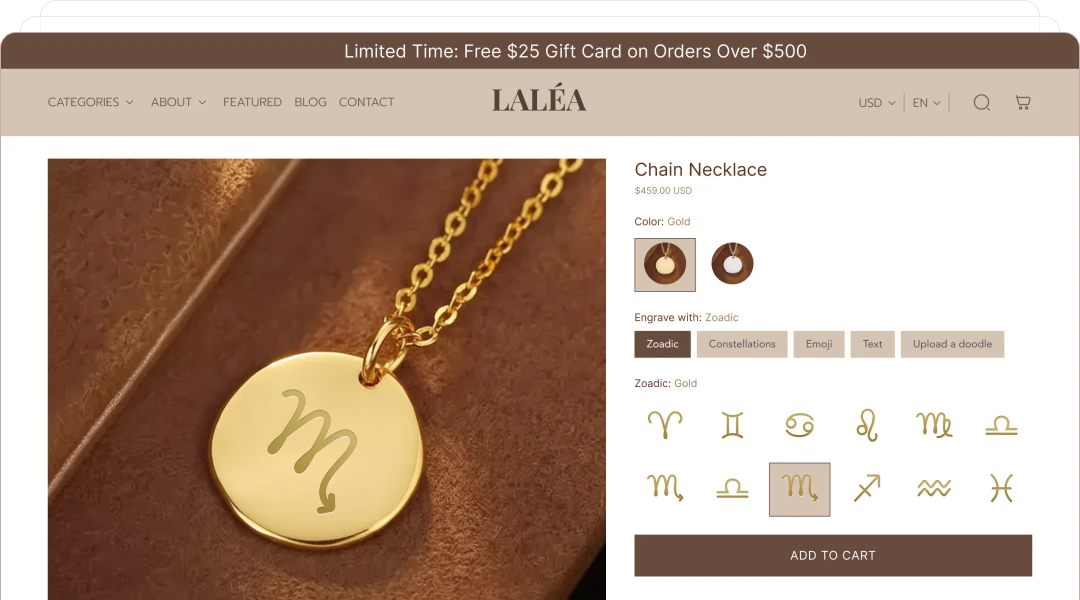
Engraved jewelry
Collect a name or message, font, metal color, chain choice, birthstone, and gift box. Preview the visible engraving and use a surcharge for premium add-ons.
Let shoppers personalize text, images, colors, fonts, charms, and paid add-ons directly on your Shopify product page, with a layered 2D preview before checkout.
Options
Text, uploads, colors, fonts, and add-ons
Preview
Layered 2D product visualization
Rules
Conditional choices and optional stock
Order
Readable Shopify line item data
Direct answer
Product evidence
These are real Podifai product flows: building the option set, guiding the shopper on the storefront, and reviewing the saved configuration after checkout.
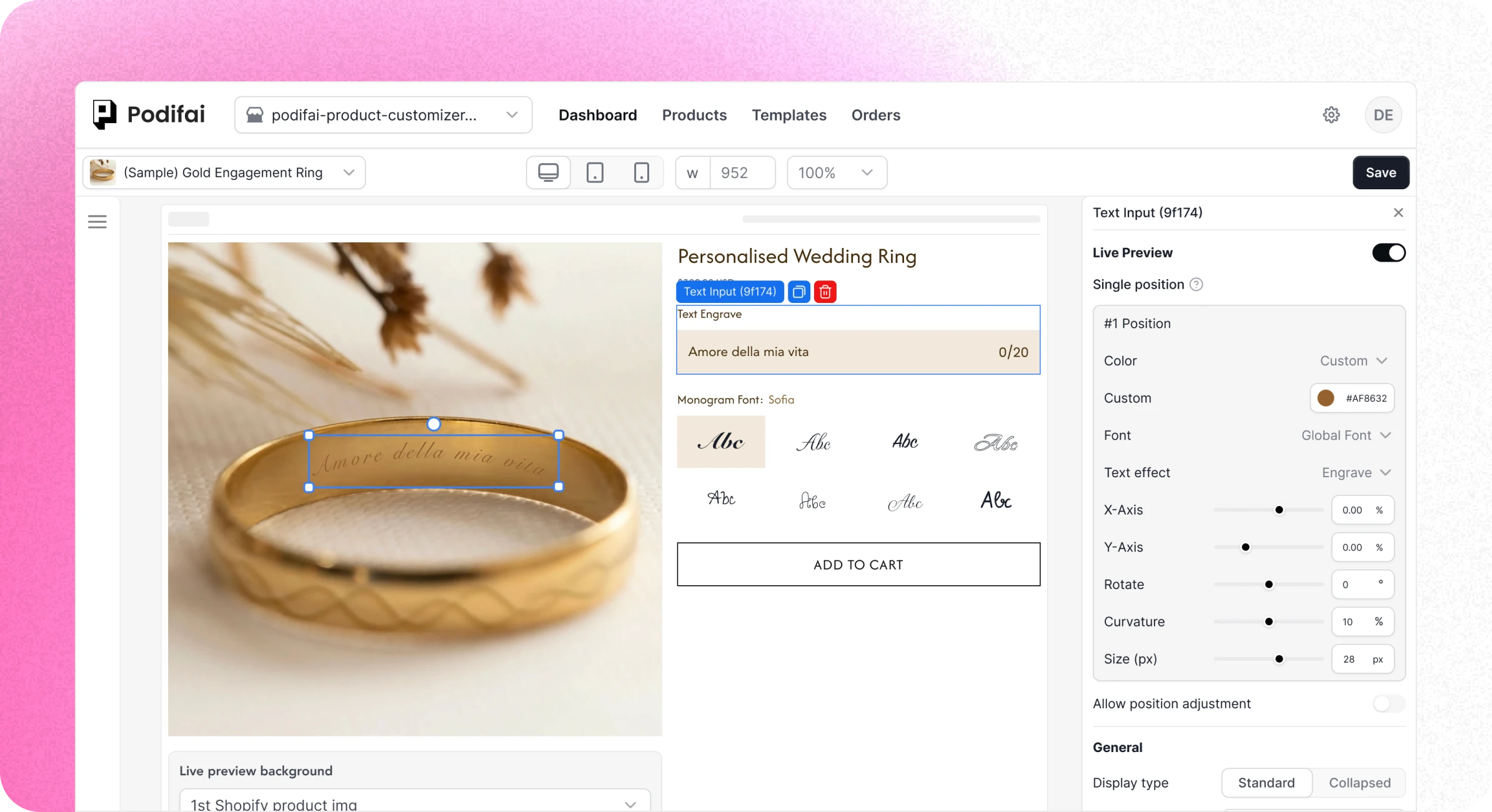
Add option types to a synced Shopify product and configure labels, values, preview behavior, and pricing.
Show dependent fields only when they apply, keeping longer personalization flows focused.
Customer selections are attached to the Shopify order so the fulfillment team can inspect them.
Choose the right model
A product configurator should match the product and fulfillment workflow. More complexity is useful only when the underlying product requires it.
| Dimension | Shopify variants | Podifai | Advanced configurator |
|---|---|---|---|
| Best fit | Standard SKU combinations | Personalized and made-to-order products | Complex assemblies and sales-led products |
| Shopper input | Predefined choices | Text, uploads, swatches, dropdowns, badges, and add-ons | Varies by platform and implementation |
| Visual preview | Product media can change by variant | Layered 2D live preview on one product canvas | Often supports 2D, 3D, or AR |
| Rules | Available combinations | Show or hide dependent options | Compatibility, engineering, and quoting rules |
| Option pricing | Variant price | Fixed surcharges, field add-ons, or linked variant prices | Formulas, quotes, or contract pricing may be available |
| Inventory | Native variant inventory | Custom option stock or linked Shopify variant inventory | Often connects to ERP, PIM, or manufacturing systems |
| Purchase flow | Standard Shopify checkout | Standard Shopify checkout with configuration data | Checkout, quote request, or sales-assisted flow |
Advanced configurator capabilities vary by vendor. Confirm 3D, AR, CPQ, ERP, and manufacturing integrations directly with the platform being evaluated.
Podifai is not built for interactive 3D models, augmented reality, engineering validation, sales quoting, dealer portals, or separate switchable front-and-back preview canvases required today.
Configurator examples
Collect a name or message, font, metal color, chain choice, birthstone, and gift box. Preview the visible engraving and use a surcharge for premium add-ons.
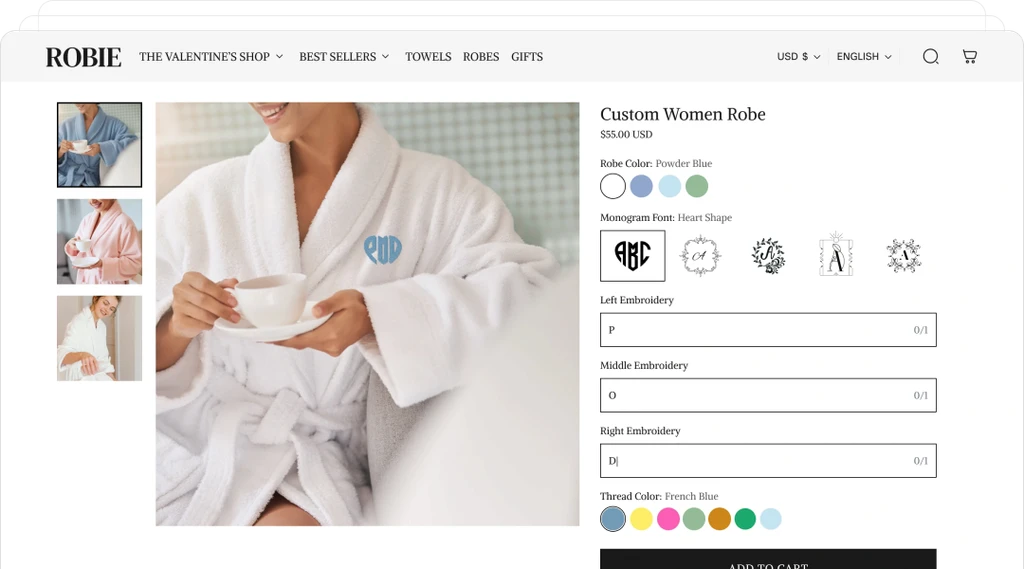
Let shoppers choose a base color, monogram style, text, and thread color. Keep size or base color as a Shopify variant when it represents a standard SKU.
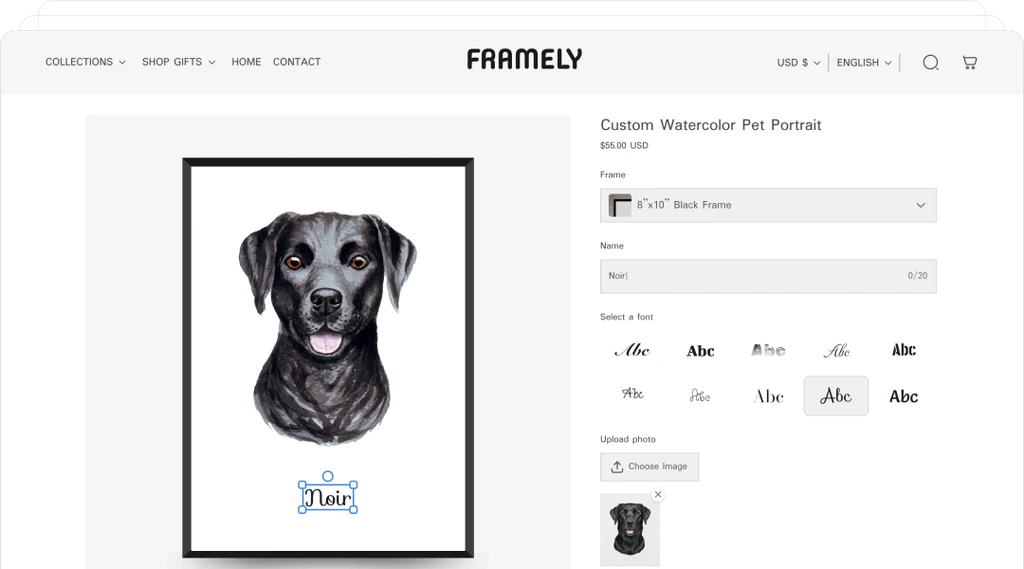
Collect a customer image, message, style, frame color, and packaging choice. Position the uploaded image in the preview and pass its URL to the order.
Customer example
Leovia uses a guided configurator to combine two engraving fields, five fonts, an on-page placement preview, and a final human review before production.
Implementation workflow
Use Shopify variants for choices that define a standard SKU, such as base size or an inventory-tracked product color.
Start from a template or add text, image upload, swatch, dropdown, badge, and other option types to a synced product.
Map visual choices to preview layers, hide irrelevant fields, add surcharges, and link option values to inventory where needed.
Enable the app embed or app block, then test the product page, cart, checkout, Shopify order, and Podifai order details.
Merchant proof
Verified reviews from merchants using Podifai for apparel, engraving, and custom products.
4.9 on the Shopify App Store · 24 reviewsI run a custom apparel lab (DTF printing and embroidery) and Podifai has been exactly what I needed to offer personalization directly on my Shopify store. The live customizer works beautifully — customers can see their name, number, and logo on the garment in real time. What really stood out was the support… that level of founder-direct support is rare.
The app is great. One of the key strengths the developer should continue focusing on is simplicity. After comparing it with other apps on the market, I found that most competitors are overly complicated. This gives Podifai a strong opportunity to stand out and compete effectively by keeping the user experience simple and intuitive.
The options available are great for engraving customisations on my products. The support team have been amazing with helping to guide me and make my set up quicker, look and feel the way I hoped. Thank you Podifai team!
Fulfillment
Podifai attaches text, colors, selected values, uploaded image URLs, and layout identifiers to the Shopify line item. Fixed add-on charges follow the Shopify checkout flow, and the configuration can be reviewed in Shopify Admin or the Podifai Orders tab. Stock-sensitive option values can use custom inventory or link to an existing Shopify variant; Podifai does not create a new variant for every personalization choice.
Questions before setup
Practical answers about Shopify variants, 2D preview, theme support, order data, and configurator boundaries.
Shopify variants are best for inventory-tracked combinations such as size and standard color. A configurator adds personalization inputs and guided choices that do not need a separate variant for every possible combination. In Podifai, option values can also track custom inventory or link to existing Shopify variants when stock matters.
No. Podifai currently focuses on layered 2D live preview for Shopify product pages. Stores that require 3D models, augmented reality, room placement, engineering validation, or CPQ workflows should use a specialist configurator platform.
Podifai attaches the shopper's selections to the Shopify cart line item as line item properties. After checkout, merchants can review text, colors, dropdown values, and uploaded image URLs in Shopify Admin and in the Podifai Orders tab.
Podifai is built for modern Shopify Online Store 2.0 themes and loads through an app embed or app block. Most standard product pages work without editing theme code. Non-standard product forms, image zoom, or product-media sliders can require placement changes or a compatibility check for some live-preview interactions.
Not yet as separate switchable views. Podifai currently renders one preview canvas with multiple independent layers. Merchants can still collect back-side details as order fields, but full front-and-back live-preview switching is still in development.

Start free with 3 custom products, or choose a paid plan from $7.9/month as your catalog grows.