Contact Shopify Support via Email (2025 Guide)
Step-by-step guide to reaching Shopify email support for billing, apps, and theme issues. Get faster responses with these tips.

TL;DR: Shopify discontinued direct email support in 2025. You must start with live chat in the Help Center, then request email follow-up. Include your store URL, problem details, and screenshots for faster resolution.
Why Do You Need Shopify Email Support?
Shopify email support helps resolve payment issues, technical questions, and store problems when things go wrong. You need it to keep your online business running smoothly without extended downtime.
This quick guide will show youhow to contact Shopify support via email, what information to include, and what to expect in response time. Save this article so you never get stuck when you need help again.
Does Shopify Have Email Support in 2025?
Yes — Shopify still uses the support email addresssupport@shopify.com, butyou can’t use it to start a support request.
As of 2025, Shopify no longer accepts direct incoming emails. If you send a message tosupport@shopify.com, you’ll receive an automatic reply explaining that support requests must begin through theShopify Help Center.
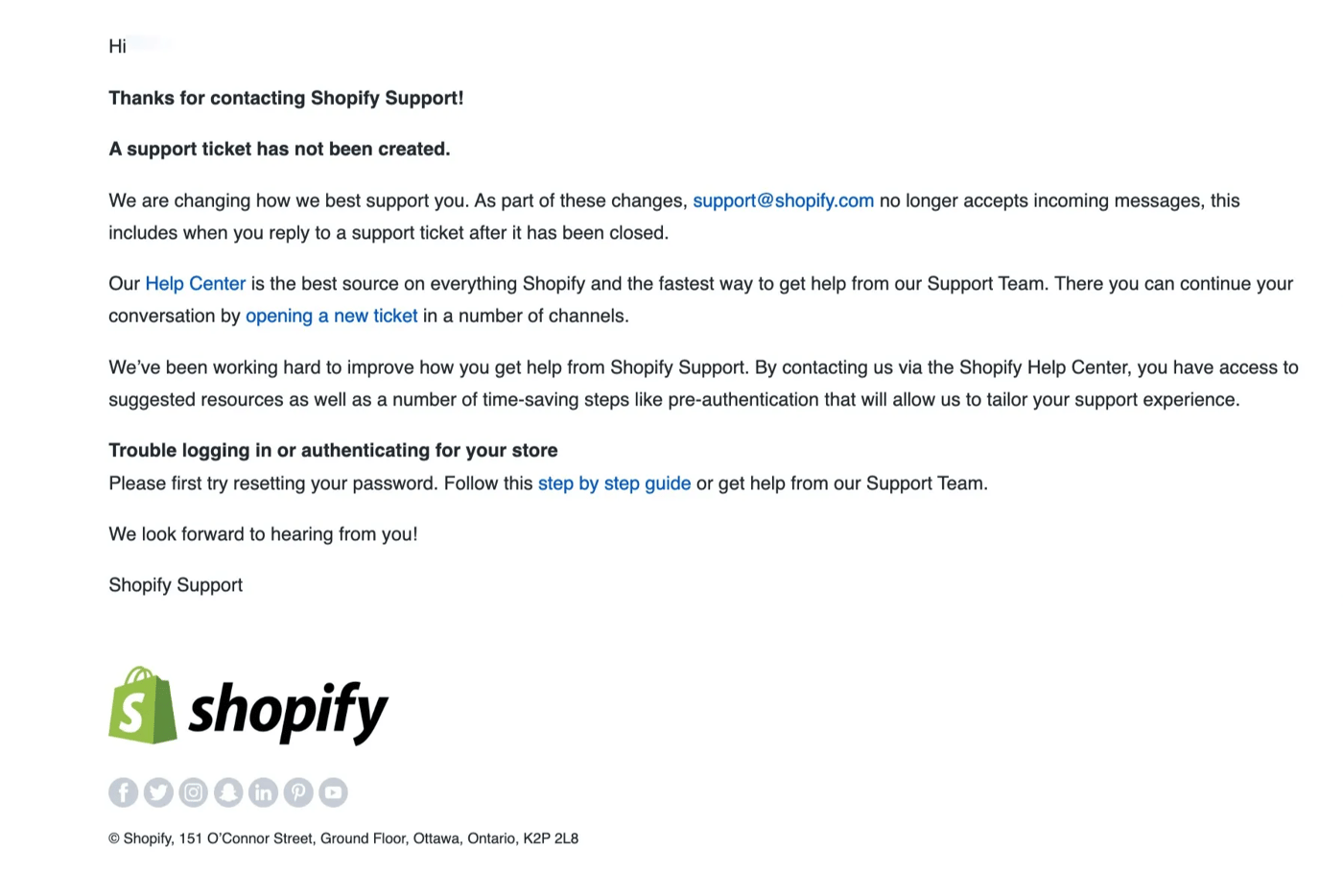
To get support, you must first start a conversation vialive chator another channel in the Help Center. After that, Shopify may continue the conversation via email if necessary — but you can't skip the first step.
This means you can’t reach Shopify by email unless you first start the conversation through one of their official channels (such as live chat). Once a ticket is created and the conversation has begun, Shopify may follow up via email, but the process doesn’t start with you emailing them directly.
✅ While
support@shopify.comis a valid Shopify support email, itcannot be used to start a support request. Customers must first contact Shopify through theHelp Center.
How Do You Contact Shopify Email Support?
Contact Shopify email support by starting a live chat session in the Help Center, then requesting email follow-up. Direct emails to support@shopify.com are no longer accepted for new tickets.
1. Go to the Shopify Help Center
VisitShopify Help Centerand clickLog into access your Shopify account.
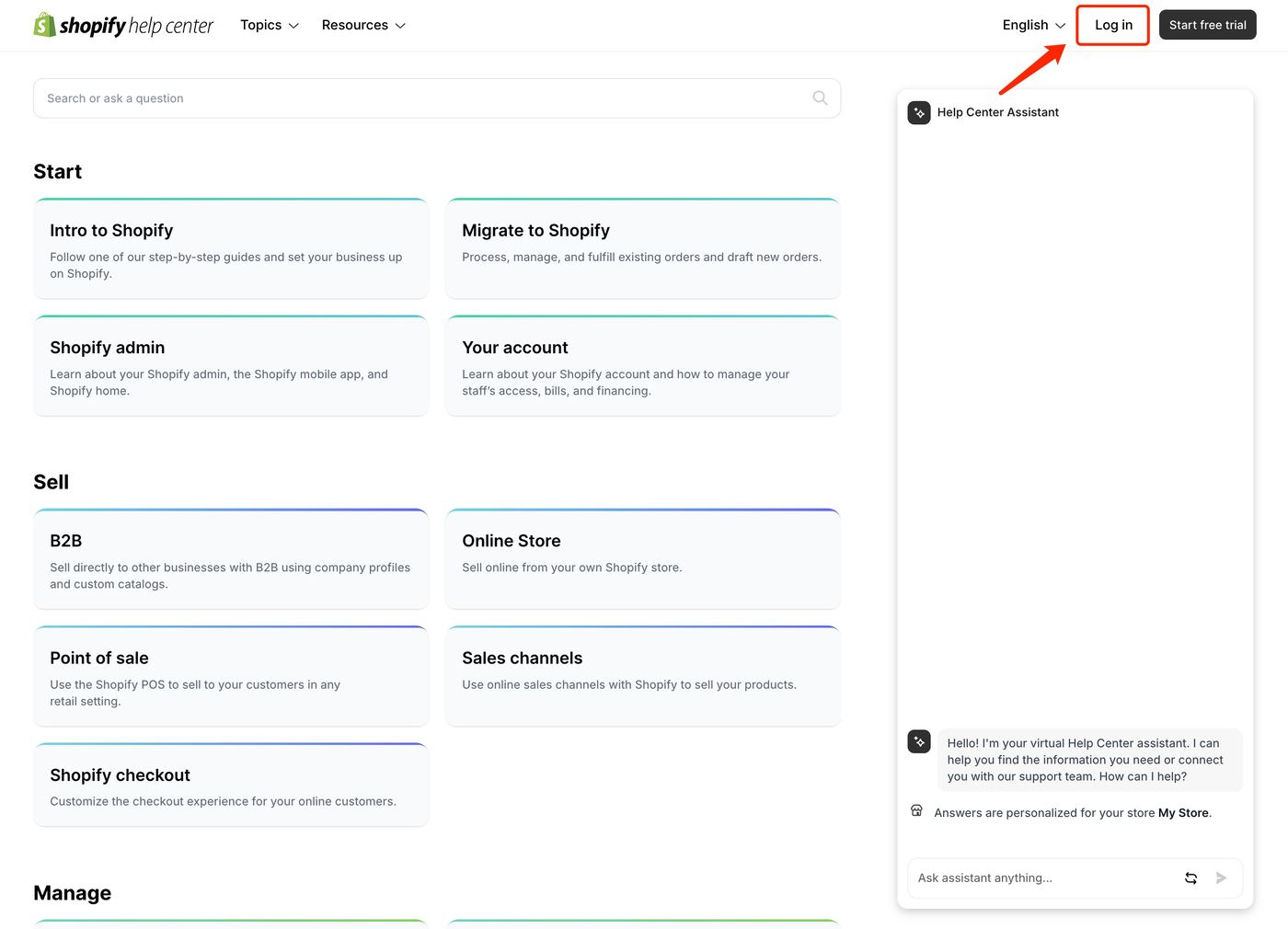
2. Start a live chat session
Follow the prompts to describe your issue and connect with a live support agent. Be as detailed as possible when explaining your problem.
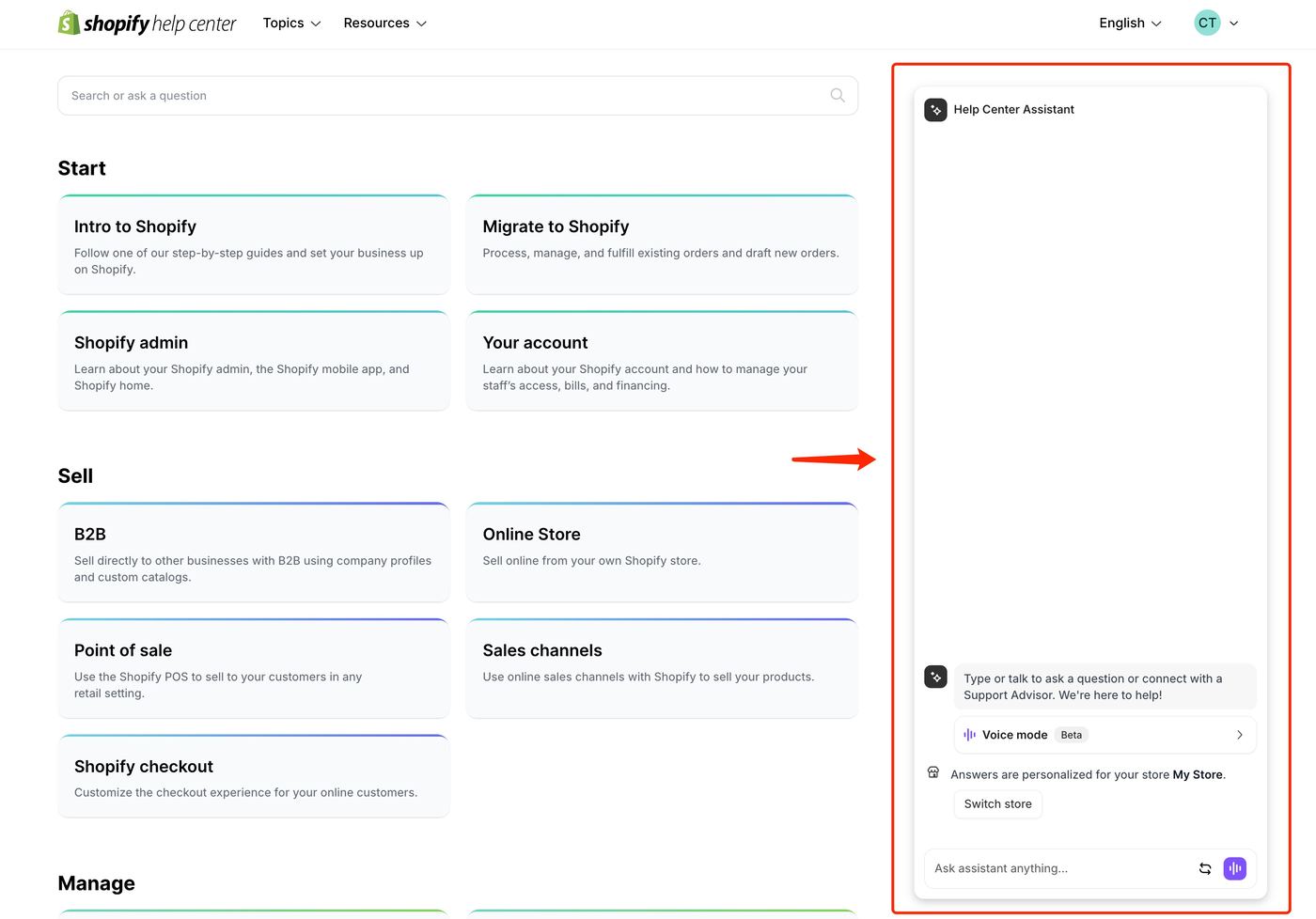
3. Request to continue via email
During the live chat conversation, let the agent know that you would prefer to switch the communication to email. If appropriate, the agent will arrange an email follow-up for you.
💡 Tip: Shopify email support is best for non-urgent issues that may require detailed explanations, screenshots, or file attachments.
What to Include in Your Email to Shopify
To get a faster and more accurate response from Shopify email support, be sure to include:
- Yourstore URL
(If you haven’t set up a custom domain, your store URL usually looks likeyour-store-name.myshopify.com. You can find it by logging into your Shopify dashboard — see the screenshot below.)
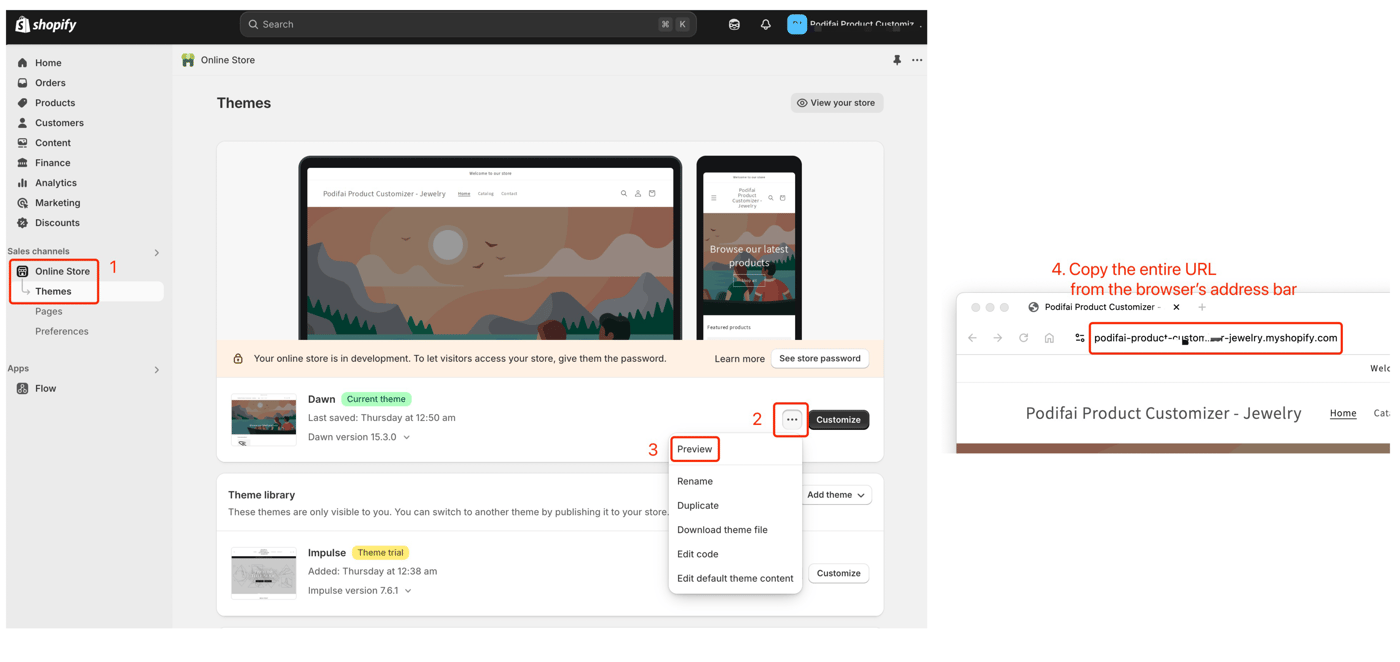
- A clear and detaileddescription of the issue
- Theoutcome you expect
- Relevantscreenshotsorvideos
- Thesteps you've already tried
- Yourpreferred contact methodif needed
Providing detailed information upfront will help Shopify support resolve your problem more efficiently.
Below is a sample email you can use when communicating with Shopify support via email.
To:shopify@support.com(Note: for follow-up only — initial contact must be through the Help Center)
Subject:Urgent: Checkout Not Working on My Shopify Store
Hi Shopify Support Team,
I'm experiencing an issue with the checkout process on my Shopify store (www.xxx.com). Customers are unable to complete purchases — after clicking the “Pay Now” button, the page either reloads or shows a blank screen.
Issue Details:
- Store URL:www.xxx.com
- Problem: Checkout page fails to load properly on both desktop and mobile.
- Expected Outcome: Customers should be able to complete payment and receive confirmation.
- Steps Already Tried: Cleared cache and cookies; Disabled third-party apps; Tried multiple devices and browsers
- Screenshots: Attached below (error screen + browser console)
- Preferred Contact Method: Email (xxx@xxx.com)
Please let me know what additional steps I can take or if this issue needs to be escalated. Thank you for your support!
Best regards, [Your Name]xxx@xxx.com
To:shopify@support.com(Note: for follow-up only — initial contact must be through the Help Center)
How Long Does Shopify Email Support Take?
Shopify's email response time typically depends on the complexity of the issue and overall support demand. On average:
- Expect a response within24–48 hourson weekdays
- Response times may be slower during weekends and high-demand periods
If your issue is urgent, usinglive chatorphone supportis recommended for faster assistance.
What Are Shopify Support Alternatives?
Shopify support alternatives include Community Forums, Reddit r/shopify, Help Docs, and the Experts Marketplace. These resources provide community help and professional solutions.
- Shopify Community Forums— Connect with other merchants and Shopify experts.
- Reddit’s r/shopify— Ask real users for tips and advice.
- Shopify Help Docs— Browse official guides and troubleshooting articles.
- Shopify Experts Marketplace— Hire a professional if you need customized solutions.
What Should You Remember About Shopify Email Support?
Remember that Shopify requires live chat first before email support. You cannot email support@shopify.com directly anymore. Always start through the Help Center to get effective assistance.
Bookmark this guide so you know exactlyhow to contact Shopify email supportwhenever you need help in 2025 and beyond.
Frequently Asked Questions
Can I still email support@shopify.com directly?
No, Shopify discontinued direct email support in 2025. You will receive an automated response directing you to start support requests through the Help Center via live chat or other official channels.
What is the fastest way to get Shopify support?
Live chat through the Shopify Help Center is the fastest method. Phone support is available for urgent issues, but email support requires starting with live chat first and requesting email follow-up.
How long does Shopify take to respond via email?
Shopify email responses typically take 24-48 hours on weekdays. Response times may be longer during weekends and high-demand periods. Complex issues may require additional back-and-forth communication.
What information should I include in my support request?
Include your store URL, detailed problem description, expected outcome, relevant screenshots or videos, steps you have already tried, and your preferred contact method for follow-up.
Are there alternatives to Shopify official support?
Yes, you can get help from Shopify Community Forums, Reddit r/shopify, official Help Docs, or hire professionals from the Shopify Experts Marketplace for customized solutions.