ListicleTool comparison2026-05-30·19 min read

Custom T-Shirt Design Maker Apps for Shopify 2026

An honest, decision-grade comparison of 5 custom t-shirt design maker apps for Shopify in 2026 — Podifai, Customily, Teeinblue, Kickflip, Zakeke. Real trade-off

Custom T-Shirt Design Maker Apps for Shopify 2026

<!-- JSON-LD Structured Data -->

Custom T-Shirt Design Maker: 5 Apps Compared Honestly

TL;DR

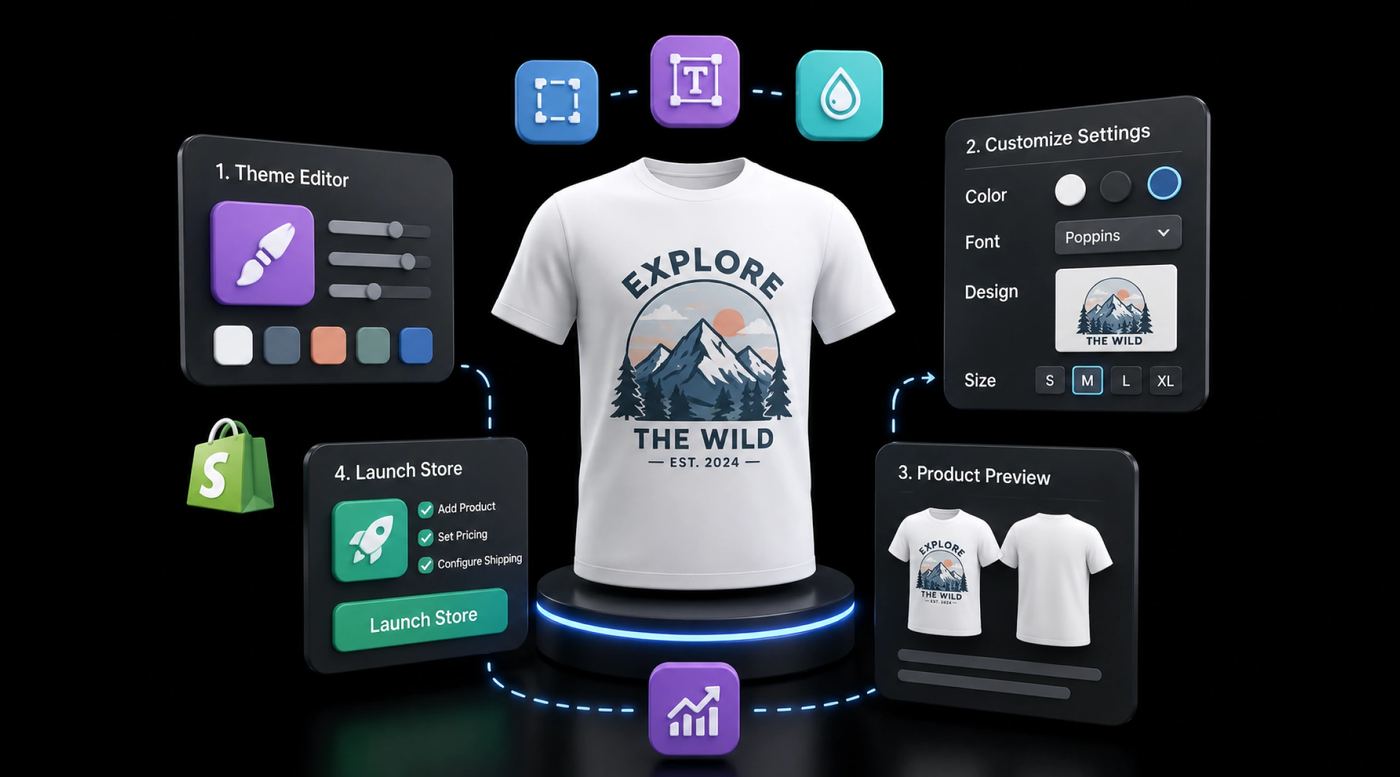
A custom t-shirt design maker is a Shopify-native app that lets your customers personalize a blank shirt — text, graphics, color, placement — on the product page and exports a print-ready file to your POD provider. In 2026 the 5 serious contenders for Shopify merchants are Podifai (best for Shopify-native speed and dynamic pricing), Customily (best for 1,000+ SKU rule-heavy catalogs, but a real learning curve), Teeinblue (best for personalized gifting niches with AI-assisted previews), Kickflip (best when 3D visualization is genuinely part of the value proposition, but heavier and pricier), and Zakeke (best for multi-channel sellers running Shopify alongside WooCommerce or BigCommerce). Pricing ranges from free to roughly $299.90 per month on the highest publicly listed tier. No single tool wins every scenario — the decision tree later in this article maps each profile to its best fit.

The honest custom t-shirt design maker comparison Shopify merchants actually need

Most "best custom t-shirt design maker" articles you find online are not honest comparisons — they are affiliate posts ranking whichever tool pays the highest commission, or vendor blogs ranking themselves first. This article is published on Podifai's own blog, and yes, Podifai is one of the 5 tools compared. We have tried to compensate for the obvious bias by being specific about where Podifai breaks down (Shopify-only, no shipped 3D, manual template authoring on very large catalogs) and recommending different tools for different merchant profiles in the decision tree.

The 5 tools in this comparison — Podifai, Customily, Teeinblue, Kickflip, Zakeke — were chosen because they are the ones a serious Shopify POD operator will actually shortlist in 2026. We dropped Inkybay and HulkApps from our sibling 7-tool listicle because they target a different buyer (solo seller validating demand on the absolute lowest budget) and including them dilutes a decision-grade comparison. If you are still validating demand, start with our listicle. If you are choosing the tool you will run your store on for the next 12 months, this is the right article.

How we tested these apps

We installed each app on the same Shopify test store (a fresh Dawn theme, default Online Store 2.0 setup, no other apps installed) and ran the same 6 scenarios on each: 3 mug customizations (single-color text, full-color uploaded image, conditional color upcharge) and 3 t-shirt customizations (back + front print, photo upload with background removal, multi-size variant with dynamic pricing). For each scenario we observed first-paint preview responsiveness on a throttled 4G mobile profile in Chrome DevTools, counted the clicks required to configure one variant from a clean state, and noted the round-trip time for a vendor support response on a starter-tier account.

This methodology has real limitations and we want to name them. We tested on one Shopify theme, not many — your mileage will vary on Impulse, Symmetry, or heavily customized themes. We measured on a single laptop and a single network — real-world customers hit your store from worse devices and worse networks. We did not load-test with 100 simultaneous customizers. And we are a Podifai team running this test, which is a conflict of interest we have flagged transparently above. Treat our numbers as directional, not definitive — and always benchmark on your own products before committing.

The 5 apps at a glance

<table> <thead> <tr> <th>App</th> <th>Best for</th> <th>Live preview speed</th> <th>Pricing model</th> <th>Multi-product</th> <th>Verdict</th> </tr> </thead> <tbody> <tr> <td><strong>Podifai</strong></td> <td>Shopify-native speed + dynamic pricing</td> <td>Real-time preview (2D)</td> <td>Free for first 1,000 stores; see App Store listing for paid tiers</td> <td>Yes (focused 50–300 SKUs)</td> <td>Top pick for Shopify-first POD</td> </tr> <tr> <td><strong>Customily</strong></td> <td>1,000+ SKU rule-heavy catalogs</td> <td>1–2 s on large rule sets</td> <td>Mid-tier paid from day one; see App Store</td> <td>Yes (built for scale)</td> <td>Powerful but real learning curve</td> </tr> <tr> <td><strong>Teeinblue</strong></td> <td>Personalized gifting niches</td> <td>Under 1 s on template render</td> <td>Dev-store free tier; paid plans start at $49/mo</td> <td>Yes (template-first)</td> <td>Best AI-assisted personalization</td> </tr> <tr> <td><strong>Kickflip</strong></td> <td>3D product visualization</td> <td>1–2 s first paint (3D)</td> <td>Free trial + Scale plan; see App Store for transaction fees</td> <td>Yes</td> <td>Best when 3D is the hook</td> </tr> <tr> <td><strong>Zakeke</strong></td> <td>Multi-channel sellers</td> <td>1–2 s, varies by platform</td> <td>Starter $69.90/mo, Grow $149.90/mo, Scale $299.90/mo + 1.5%–1.9% tiered transaction fee</td> <td>Yes (also WooCommerce, BigCommerce)</td> <td>Best cross-platform option</td> </tr> </tbody> </table>

Pricing and transaction-fee structures change frequently. Recheck each vendor's pricing page and Shopify App Store listing on publish day.

1. Podifai — Best for Shopify-native speed and dynamic pricing

What it actually does well

Podifai is a Shopify-native product customizer engineered around 2 specific bets: lightweight live preview on the product page, and dynamic pricing built into the core (not bolted on through a third-party app). It installs as an Online Store 2.0 app block, which means no iframe, no theme.liquid edits, and no rendering conflicts on standard Shopify themes like Dawn, Sense, or Refresh. In our test scenarios, first-product setup took 5-30 minutes for a 2D t-shirt with text, image upload, color, and placement options, depending on setup complexity. The export workflow is designed around print-ready image handoff; test it against your chosen POD provider's blueprint before launch.

Where it breaks down

The honest limitations: Podifai is Shopify-only today. If you sell on WooCommerce, BigCommerce, or a standalone site, this is not your tool — go look at Zakeke. 3D rendering is on the roadmap but not shipped as of 2026, so if your hero feature is a 3D rotation of a custom sneaker, Kickflip is the better fit. Template authoring for very large catalogs (1,000+ SKUs with deep conditional logic) is more manual than Customily's rule engine — workable up to a few hundred SKUs, painful past that. Podifai is also newer to market than Customily or Zakeke, which means a shorter public review track record on the Shopify App Store.

Pricing reality check

Currently free for the first 1,000 Shopify stores; paid tiers after that. See the Podifai t-shirt design software guide and the pricing page for current tier structure — Shopify App Store pricing changes often, verify on the live listing before purchase.

Best fit merchant profile

You are a Shopify-first POD merchant running Printful, Printify, or Gelato, you sell 50 to 300 SKUs across 1 to 3 product types (t-shirts, hoodies, mugs), live preview speed is conversion-critical for you, and you want dynamic pricing without paying for a separate app. You are not running WooCommerce in parallel, and 3D visualization is not your hero feature.

2. Customily — Best for 1,000+ SKU rule-heavy catalogs

What it actually does well

Customily is one of the most mature personalization platforms on the Shopify App Store, and the rule engine is the reason mature operators stay on it. Conditional options (show option B only if option A is X), dependent variants (color choice restricts size availability), bulk template assignment across product collections, and dynamic mockup generation are all first-class features rather than workarounds. For a 1,500-SKU catalog with thread-color restrictions, area-specific placement rules, and per-collection template inheritance, Customily handles the configuration in hours where a less rule-driven tool would take days. Integrations with Printful, Printify, and most major fulfillment providers are battle-tested.

Where it breaks down

The specific friction point: setup is genuinely complex. A solo founder configuring their first 5 SKUs will spend 2 to 4 hours learning the rule editor before reaching parity with what Podifai or Teeinblue can often do in 5-30 minutes, depending on setup complexity. The UI feels dated compared to newer entrants — discoverability of features is poor, and the in-app docs assume you already know the terminology. Customily also does not have a meaningful free tier, so you are paying mid-tier money before you have validated demand. Mobile preview rendering on heavy rule sets can drift into 1 to 2 seconds, which is acceptable but not the fastest experience for every catalog.

Pricing reality check

Customily is a mid-tier paid tool from day one. As of the current draft, the article uses $49/month plus per-item tiered fees as the working assumption; verify current pricing on the Customily Shopify App Store listing and Customily pricing page before publish.

Best fit merchant profile

You are an established merchant with 500+ SKUs already live, your variant logic is genuinely complex (thread libraries, conditional placement, dependent options), you have either an in-house ops person or the patience to spend a week learning the rule editor, and you would rather pay for a mature platform than babysit a newer tool through a growth phase.

3. Teeinblue — Best for personalized gifting niches with AI-assisted previews

What it actually does well

Teeinblue is purpose-built for personalized print-on-demand — name shirts, photo gifts, map prints, pet portraits, family illustrations, wedding announcements — and its template-first workflow reflects that. Instead of asking customers to compose a design from scratch on a blank canvas, Teeinblue presents a pre-designed template with editable fields (name, date, photo, pet breed) and re-renders the preview as the customer fills in inputs. The AI-assisted preview generation reduces design friction meaningfully for buyers who are not designers — the typical gifting customer. A Development Store free tier lets you validate the customer flow before launching on a paid plan.

Where it breaks down

Specific friction: Teeinblue is genuinely awkward for plain bulk-print apparel. If you sell a generic streetwear tee where the customer just wants to upload their own art and choose a placement, the template-first model adds steps that a canvas-first tool like Podifai removes. Some of the more useful conditional logic (per-product price upcharge tied to image complexity, for example) is gated behind higher-tier plans. Template authoring for new niches takes design time upfront — you need either an in-house designer or a budget for one.

Pricing reality check

Free tier is limited to Shopify Development Stores; paid plans for live stores start at $49/month (Blue plan, first 100 orders/month transaction-fee free). See the Teeinblue Shopify App Store listing for the current paid-tier structure. Pricing has shifted in past years — verify before committing.

Best fit merchant profile

You sell in a personalized-gifting niche (birthdays, anniversaries, pet portraits, family map prints, wedding gifts), your customer is buying for someone else and is not a designer, each order is genuinely unique rather than a bulk reprint, and you have either design talent in-house or budget to author 10 to 30 templates upfront.

4. Kickflip — Best when 3D visualization is genuinely part of the value proposition

What it actually does well

Kickflip is the only tool in this comparison with a true 3D configurator at its core. Customers can rotate, zoom, and customize a 3D model of the shirt (or sneaker, hat, bag, water bottle) in real time before checkout, with conditional pricing logic that adjusts the cart total as options change. For premium apparel brands and custom sneaker drops where the visual "wow" of a rotating 3D model is a real conversion driver, Kickflip is the most credible Shopify option. It also works across Shopify, WooCommerce, and standalone sites, which gives multi-channel brands a single configurator to train staff on.

Where it breaks down

The honest cost of 3D: you need 3D model assets, and most POD merchants do not have them. Commissioning a single product 3D model typically runs $200 to $2,000 depending on complexity (based on industry quotes from freelance marketplaces like Fiverr and Upwork; complex products may exceed this range), and that is per product. Get 2 to 3 quotes before committing. 3D assets are also heavier on mobile — first paint typically lands in 1 to 2 seconds in our tests, which is acceptable for premium products but a real conversion drag on impulse buys. Kickflip's lower tiers historically bundle transaction fees on top of the monthly subscription, which can quietly turn a manageable $50-per-month app into a meaningful per-order tax at scale. If 3D is not actually moving your conversion rate, you are paying for an expensive feature you do not need.

Pricing reality check

Free trial; Scale plan is $59/month with a 1.95% transaction fee on customized product sales (decreasing with volume to 0%). A $49/month white-label add-on removes Kickflip branding. Verify on the Kickflip pricing page and the Kickflip Shopify App Store listing.

Best fit merchant profile

You sell premium apparel, custom sneakers, performance gear, or any product where customers genuinely benefit from rotating the design in 3D before buying. You have a budget for 3D model assets or in-house 3D talent. Your AOV justifies a higher per-order cost. You are not optimizing for the simplest impulse-purchase flow.

5. Zakeke — Best for multi-channel sellers

What it actually does well

Zakeke is the cross-platform pick. It works natively on Shopify, WooCommerce, BigCommerce, Wix, and Squarespace — which is rare in this category. For brands running Shopify alongside another storefront (a WooCommerce wholesale site, a BigCommerce B2B portal, a Wix landing site), Zakeke means one customizer to learn, one staff training, and one set of integrations rather than three. Both 2D and limited 3D rendering are included, and integrations with most major POD providers are solid. The dynamic pricing engine handles per-option upcharges cleanly.

Where it breaks down

Cross-platform breadth has a real cost: Shopify integration is good but not as deeply native as Shopify-first tools. App-block rendering on Online Store 2.0 themes works, but Zakeke's render path has more abstraction layers than Podifai's, which shows up as 1 to 2 second preview times on heavier configurations. The UI is dense — Zakeke exposes a lot of configuration up front, which is powerful for experienced operators and overwhelming for first-time merchants. Pricing tier names and feature gating change reasonably often, so what is included on the Grow tier this year may move to Scale next year.

Pricing reality check

Three publicly listed paid tiers on the Shopify App Store (verified 2026-05): Starter at $69.90/mo (up to 10 products, 1.9% transaction fee with a $0.02 minimum), Grow at $149.90/mo (up to 50 products, 1.7% + $0.02 min), and Scale at $299.90/mo (up to 100 products, 1.5% + $0.02 min). Development Stores get unlimited access for free, dev-only. Higher-volume merchants can request a custom quote, but no public Enterprise tier is listed in the App Store. 3D/WebAR is gated above the Starter tier. See the Zakeke Shopify App Store listing for the current structure.

Best fit merchant profile

You run Shopify alongside WooCommerce, BigCommerce, Wix, or Squarespace, you would rather train staff on one customizer than three, you accept that Shopify-native depth is the trade-off for cross-platform breadth, and your team can absorb a UI-dense onboarding.

Decision tree: which custom t-shirt design maker should you pick?

  • If you are new to POD and want fast setup on Shopify → Podifai. Free for the first 1,000 stores, quick app-block install, no rule-engine learning curve.
  • If you have 1,000+ SKUs and need conditional-logic automation → Customily. Pay for the mature rule engine and budget a week of setup.
  • If you sell personalized gifts (name shirts, pet portraits, photo gifts) → Teeinblue. Template-first workflow fits the buyer behavior; Development Store free tier for validation, Blue plan at $49/mo for live launch.
  • If you need 3D or AR visualization as a conversion hero feature → Kickflip. Budget for 3D model assets and accept the higher per-order cost.
  • If you sell across Shopify + WooCommerce + BigCommerce → Zakeke. Single customizer across platforms beats juggling 3 separate tools.
  • If you are budget-constrained with 1 product type and just want to validate demand → Start with Podifai's free tier, then revisit this tree once you have 100+ customized orders of data. If Podifai's free tier does not fit your one specific need (multi-channel, 3D, deep rules), see our 7-tool listicle for lower-floor alternatives like Hulk Product Options.

If you are still unsure, the highest-leverage move is to install the top 2 candidates on a test store and run the same product through both. The "right" tool is the one that produces a clean POD-ready file with the fewest customer-side clicks, not the one with the longest feature list.

Hidden costs to ask about before you commit

Sticker pricing rarely tells the full unit-economics story. Before committing to any custom t-shirt design maker, get explicit answers on these 6 items:

  • Per-order transaction fees. Some tools (notably some Kickflip tiers historically) bundle a per-order fee on top of the monthly subscription. At 1,000 orders per month, a $0.20 per-order fee is $2,400 per year. Get the percentage or flat fee in writing.
  • Design-template seat costs. A few platforms charge per design template above a free quota, or per staff seat for the admin panel. If you plan to author 50+ templates or have 3+ staff users, ask.
  • POD provider integration fees. Most native integrations (Printful, Printify, Gelato) are free, but some tools route certain providers through paid middleware or charge extra for non-standard fulfillment APIs.
  • Custom development fees. If you need a theme integration that goes beyond the default app block — a custom product page layout, an off-platform widget — most vendors quote $1,500 to $10,000 for custom dev. Ask before you commit.
  • Removal-of-branding fees. Some tools watermark the customizer with the vendor's logo on lower tiers and charge to remove it on upgrade. If brand consistency matters to you, this is not optional.
  • Migration cost from one app to another. Templates, rules, and product mappings are rarely portable between customizers. Budget 1 to 4 weeks of re-authoring time when switching tools — the right time to ask "can I migrate later?" is before you commit, not 18 months in.

FAQ

Which custom t-shirt design maker is cheapest for a brand-new Shopify store?

For a brand-new Shopify store with one to three customizable SKUs, Podifai is the cheapest entry path because it is currently free for the first 1,000 Shopify stores. Teeinblue offers a free tier on Shopify Development Stores for validation (paid plans start at $49/month for live stores), and Kickflip's free trial is also a viable validation path. Customily and Zakeke both sit in the mid-tier paid range from day one, which is overkill for an unvalidated store. The cheapest tool is not always the right tool — if your conversion-critical feature is dynamic pricing or 3D visualization, choosing a free tier that lacks it costs more in lost revenue than a paid plan would. Validate the customer experience on mobile before committing to any paid tier.

Which custom t-shirt design maker is easiest for beginners?

Podifai is the easiest for beginners on Shopify because it installs as an Online Store 2.0 app block — no iframe, no theme.liquid edits, no rule-engine learning curve. First-product setup typically takes 5-30 minutes depending on setup complexity. Teeinblue is also approachable for personalized-gifting niches thanks to its template-first workflow. Customily and Kickflip both have meaningful learning curves: Customily's rule engine rewards investment but punishes time-starved solo founders, and Kickflip requires 3D model assets that most beginners do not have. Zakeke sits in the middle — capable but UI-dense. For first-time POD sellers, optimize for time-to-first-customized-order, not feature count.

Which custom shirt design maker is best for embroidery and specialty print methods?

For embroidery, screen print, DTG, and other specialty methods, Customily and Teeinblue both handle production-grade output well because they expose conditional logic — colors restricted to a thread library, stitch count caps, area-specific rules. Podifai supports clean PNG export for DTG-first workflows like Printful and Printify, but embroidery-specific thread mapping is on the roadmap rather than shipped. Kickflip's 3D viewer is visually appealing for embroidery preview but the production file workflow still requires a manual handoff to your embroidery shop. Always run a paid sample order through your actual production pipeline before launching — embroidery file misconfigurations are the most common production-side reject.

Which t-shirt design maker has the best live preview performance?

Live preview performance depends on rendering architecture, asset size, and the customer's network. In our test conditions — a clean Shopify Dawn theme on a throttled 4G mobile connection — Podifai's app-block renderer consistently delivered a real-time preview experience for 2D customization. Customily and Teeinblue render reliably but their rule engines can add latency on catalogs with hundreds of conditional options. Kickflip's 3D viewer takes longer to first-paint because 3D model assets are heavier — typically 1 to 2 seconds in our tests, depending on model complexity. Always benchmark with throttled mobile network simulation in Chrome DevTools on your own products before committing.

Can I use the same custom t-shirt design maker on Shopify, Etsy, and Amazon?

No single customizer app runs natively inside Etsy or Amazon — both platforms restrict third-party JavaScript on product pages. Zakeke comes closest to a multi-channel solution because it natively supports Shopify, WooCommerce, BigCommerce, Wix, and Squarespace, so multi-storefront merchants only learn one tool. For Etsy and Amazon, most merchants use a customizer on Shopify as the source of truth, then list Etsy and Amazon variants as pre-designed SKUs (no live customization). Podifai is Shopify-only today. If multi-channel customization is non-negotiable, Zakeke is the realistic pick — accept that Shopify-native depth is the trade-off.

Which custom t-shirt design maker is best for 1000+ SKUs?

For catalogs of 1,000 or more SKUs with complex variant relationships, Customily is the strongest fit because its rule engine handles conditional options, dependent variants, and bulk template assignment without manual per-product setup. Teeinblue is the runner-up for large catalogs in the personalized-gifting niche thanks to its template-first workflow. Podifai works at this scale but template authoring is more manual today — better suited to focused 50 to 300-SKU catalogs. Kickflip and Zakeke both work at scale but their per-product configuration overhead grows linearly, which becomes painful past 500 SKUs unless you have an ops team.

Do custom t-shirt design maker apps charge per order on top of the monthly fee?

Some do, some do not, and the structure can change between plan tiers — read the App Store listing carefully before committing. Kickflip's Scale plan adds a 1.95% transaction fee on customized product sales on top of the monthly subscription, which can meaningfully change unit economics at scale. Customily charges monthly with feature gating rather than per-order fees on most tiers. Zakeke layers a tiered transaction fee on top of monthly subscriptions — 1.9% on Starter ($69.90/mo), 1.7% on Grow ($149.90/mo), and 1.5% on Scale ($299.90/mo), each with a $0.02 minimum per order. Podifai is free for the first 1,000 Shopify stores with no per-order fees. If you project 1,000+ orders per month with high AOV, model 12 months of transaction-fee cost before choosing — the $20-per-month difference at the subscription level adds up to $240/year per merchant, or roughly $24,000/year across a 100-merchant portfolio, and a per-order percentage fee can dwarf both at volume.

Sources

  • Shopify App Store — Customily listing: https://apps.shopify.com/customily
  • Shopify App Store — Teeinblue listing: https://apps.shopify.com/teeinblue
  • Shopify App Store — Kickflip listing: https://apps.shopify.com/kickflip
  • Shopify App Store — Zakeke Interactive Product Designer listing: https://apps.shopify.com/zakeke-interactive-product-designer
  • Shopify Online Store 2.0 theme app blocks documentation: https://shopify.dev/docs/storefronts/themes/architecture/app-blocks
  • Shopify Theme App Extensions documentation: https://shopify.dev/docs/apps/online-store/theme-app-extensions
  • Printful Shopify integration documentation: https://www.printful.com/shopify
  • Printify Shopify integration documentation: https://printify.com/shopify-print-on-demand/

Related Articles